How to Delete Facebook


Delete Facebook: What will be deleted?
By deleting your Facebook account, you’ll be erasing your profile, photos, posts, videos, and anything else that you’ve personally added to Facebook. You won’t be able to retrieve any of these things. Some information, like messages you sent to friends, might still be visible after you’ve deleted your account. After 14 days, you won’t be able to reactivate your account. You must do this within your Facebook account- deleting the app will not delete your profile.
Deleting your account is different from deactivating your account. Deactivating means that nobody will be able to see your profile. Your account will still exist, and friends might still be able to see you on their Friends List and chat with you in Messenger.
How to Delete Facebook on Desktop
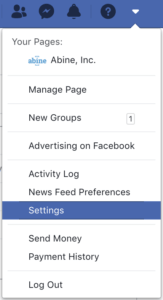
1. Log in to Facebook. Click the arrow at the top right corner of any Facebook page, and click Settings.
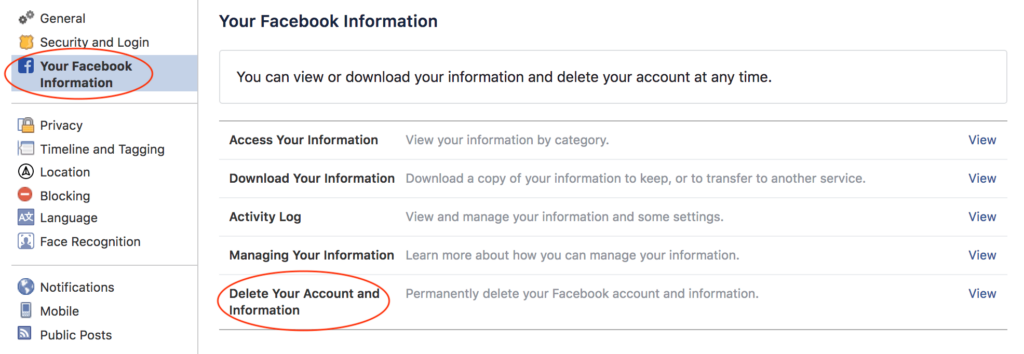
2. Click ‘Your Facebook Information’ in the left column. Click ‘Delete Your Account and Information’ at the bottom of the right column.
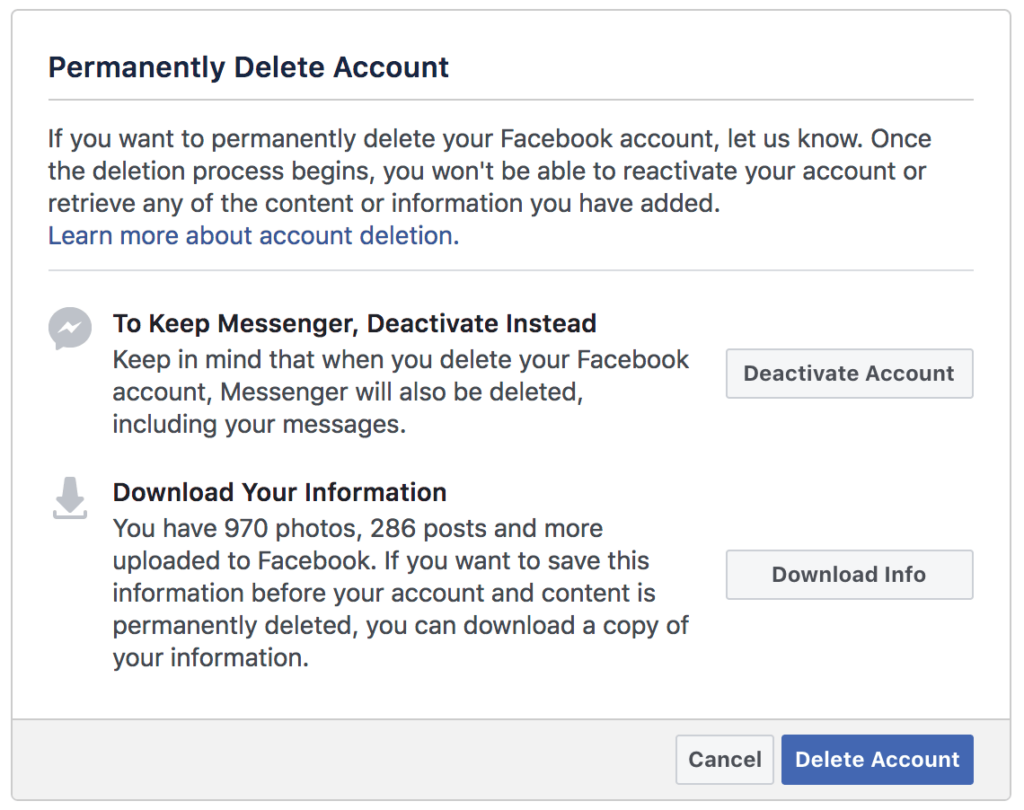
3. Click ‘Delete Account’ on the bottom right.
How to Delete Facebook on Mobile
1. Open Facebook on your phone and log in. At the bottom-right corner of your app, tap on the three parallel horizontal lines. In this page, tap ‘Settings & Privacy’.
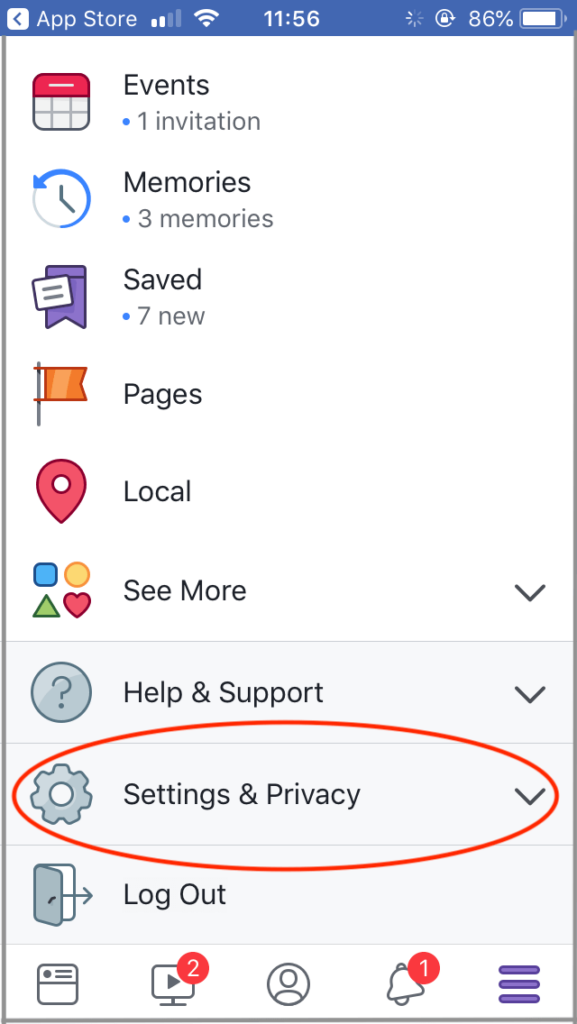
2. This will open a smaller menu. Tap ‘Settings’.
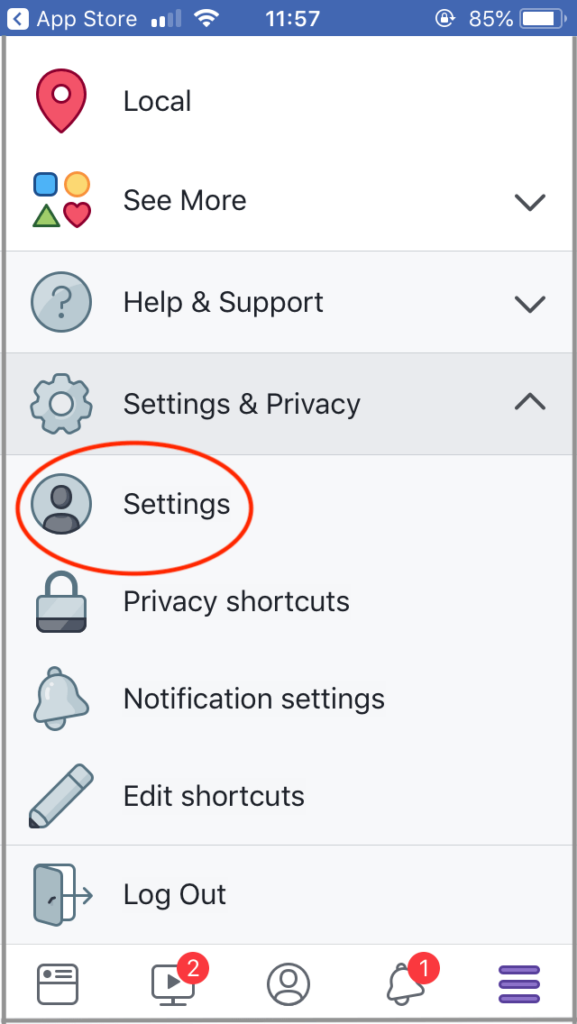
3. Tap ‘Account Ownership and Control’.
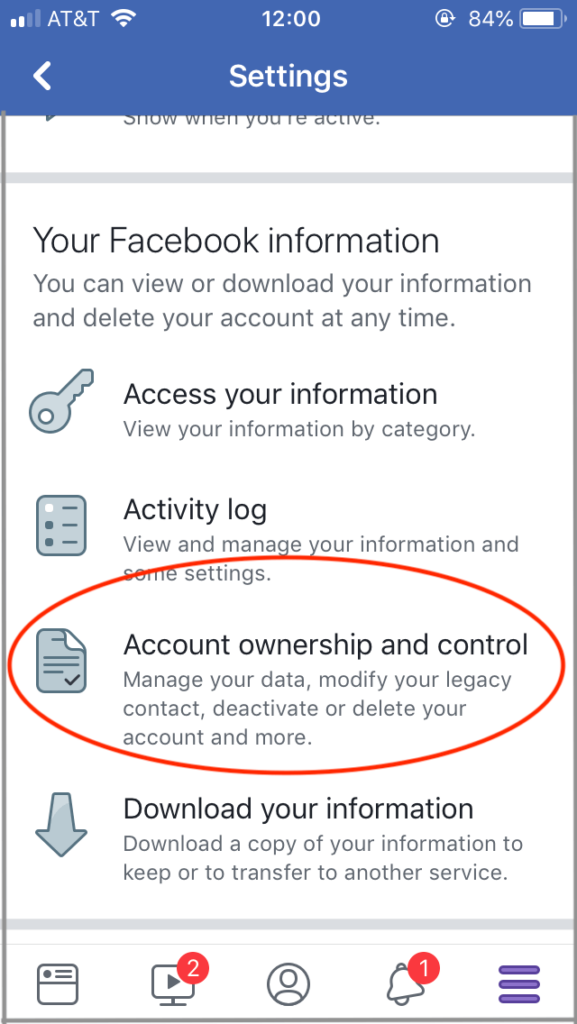
4. Tap ‘Deactivation and Deletion’.
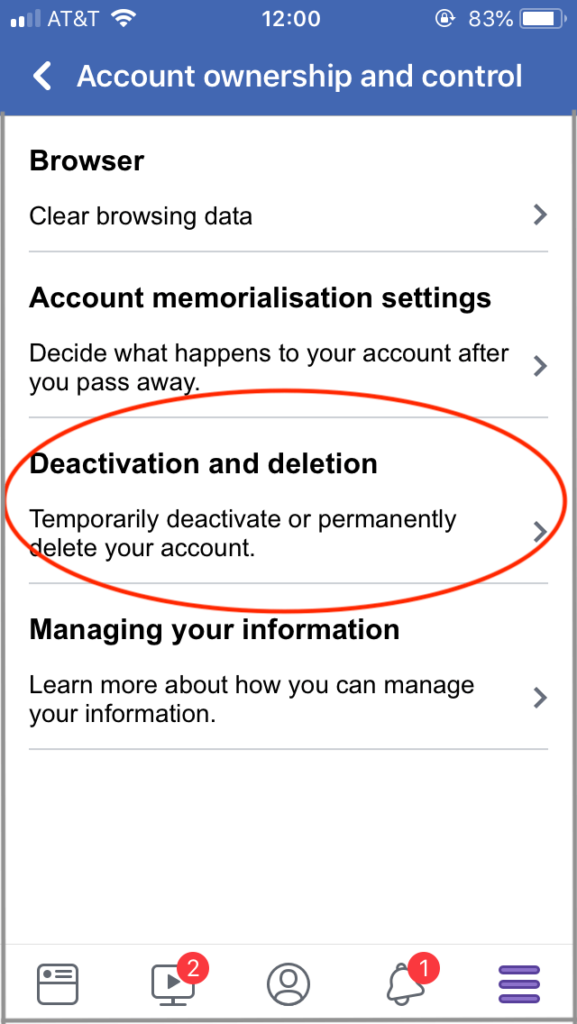
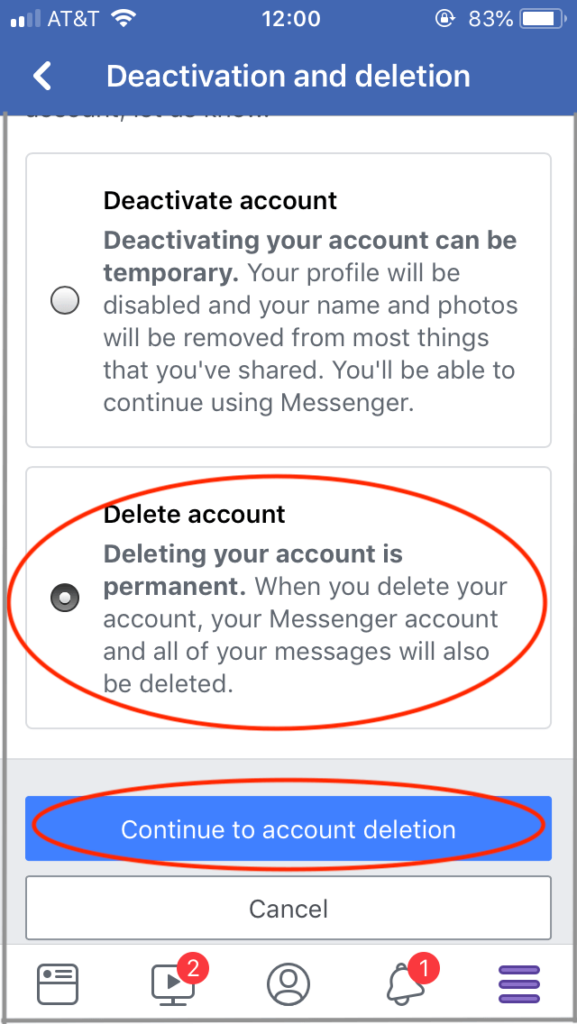
5. Tap the bubble next to ‘Delete Account’, and click the blue bar that says ‘Continue to account deletion’.
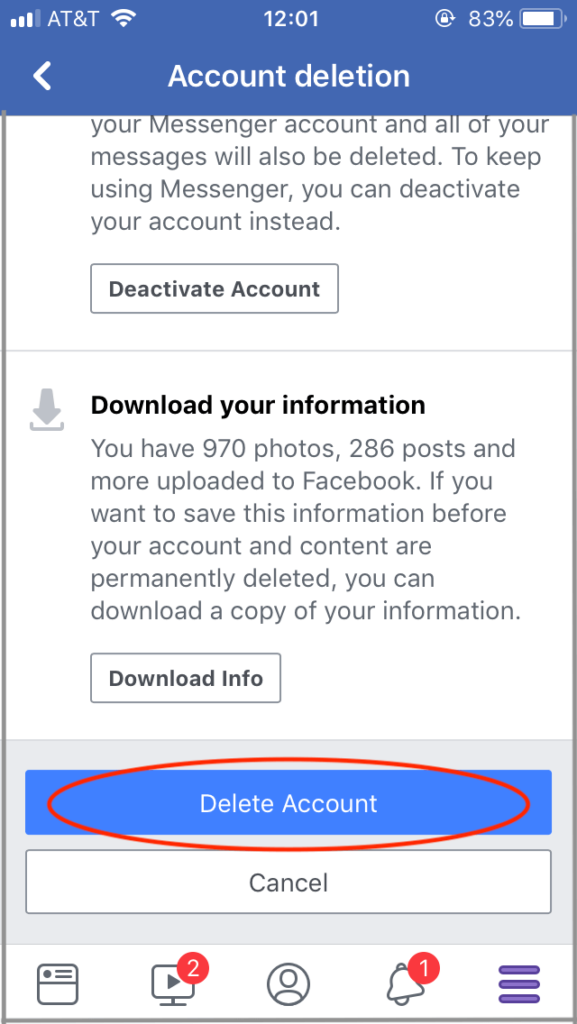
6. Tap the blue bar that says ‘Delete Account’.
How Long Until Your Profile is Deleted?
You have 14 days to fully commit to deleting your account. If you log back in within this timeframe, you will be able to retrieve your information. It may take up to 90 days to for Facebook fully delete your all of your data, but it won’t be accessible to other users during this time period.

news?

Don’t have the time?
DeleteMe is our premium privacy service that removes you from more than 750 data brokers like Whitepages, Spokeo, BeenVerified, plus many more.
Save 10% on DeleteMe when you use the code BLOG10.
Related Posts
Why You Can’t Tell Deepfake from Reality

Loyalty Programs Are a Data Trap. Here’s How to Opt Out.