How to Remove Yourself from CheckPeople.com


Table of Contents
DeleteMe’s CheckPeople Review
CheckPeople.com is a data broker site that posts personal information online. To remove yourself from CheckPeople.com, you must fill out their opt-out form and confirm your request over email. It might take over a week for your information to be removed.
| Speed: 5 | Difficulty: 2 |
|---|---|
 |
 |
How to Remove Yourself from CheckPeople
1. Go to their opt-out page, https://www.checkpeople.com/opt-out.
2. Fill out the opt-out form with the information as it appears in your listing. Perform the CAPTCHA and click “Search”.
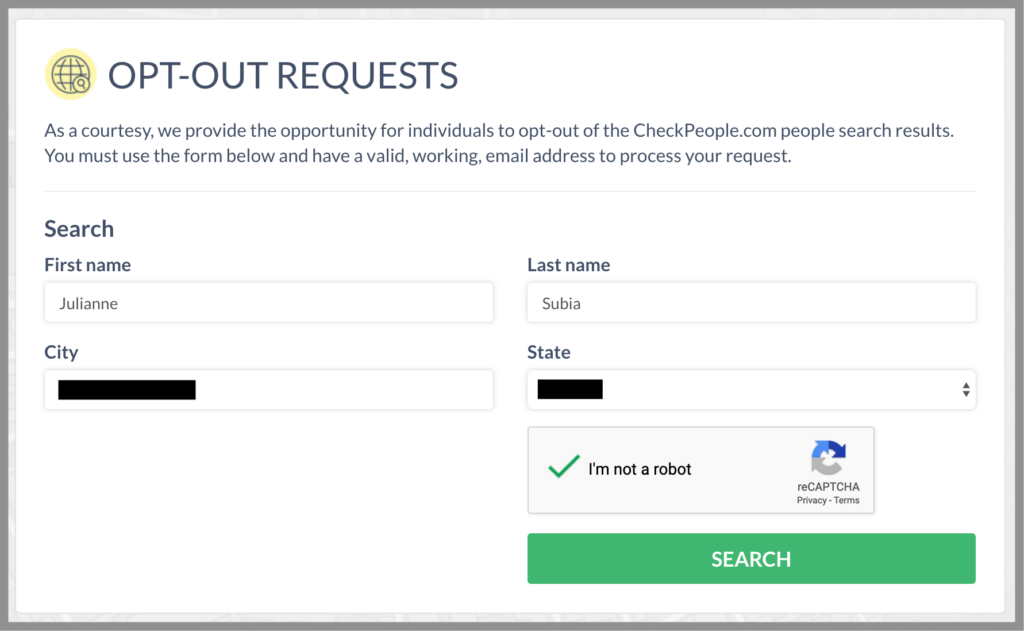
3. Find your listing and click “Opt-Out”.
4. Enter your email address for verification (we recommend using a Masked Email from Blur), perform the CAPTCHA, and click “Send Confirmation Email”.
5. Open your email and click on the link sent (it might be in your spam folder).
6. Fill out your name, for whom you are completing the request, perform the CAPTCHA, and click “Complete Request”.
7. Your information should be removed within 5-7 days.


news?

Don’t have the time?
DeleteMe is our premium privacy service that removes you from more than 750 data brokers like Whitepages, Spokeo, BeenVerified, plus many more.
Save 10% on DeleteMe when you use the code BLOG10.