How to Remove Yourself from The Public Records


How to Remove Yourself from The Public Records

Julianne Subia

Last Updated: September 14, 2026

Reading time: 1 minute

personal-information-2021-08-26-17-51-48-utc

DeleteMe’s The Public Records Review

The Public Records‘s opt out link redirects to PeopleFinders, indicating that removing yourself from PeopleFinders will remove you from The Public Records. The Public Records collects and posts all kinds of personal information publicly online. Removing yourself from The Public Records via PeopleFinders requires you to fill out an opt-out form.  After that, it may take seven or more days to have the request removed.

Speed: 5 Difficulty: 1

How to Remove Yourself from The Public Records via PeopleFinders

1. Go to their opt-out website, https://www.peoplefinders.com/manage, and search for your listing.
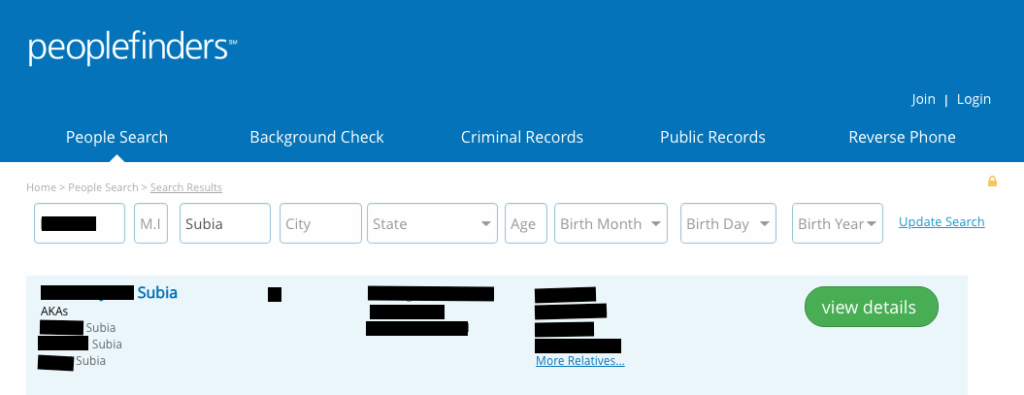
2. Find your listing and click “this is me”.
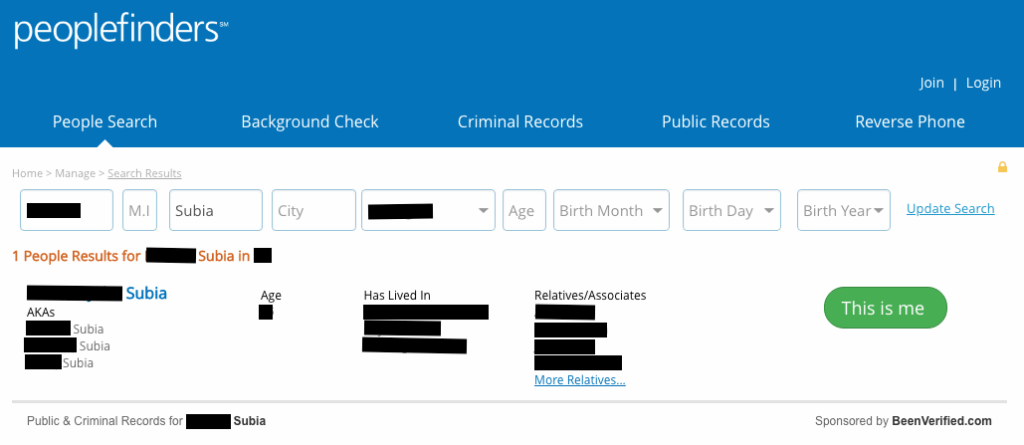
3. Click “opt out my info”.
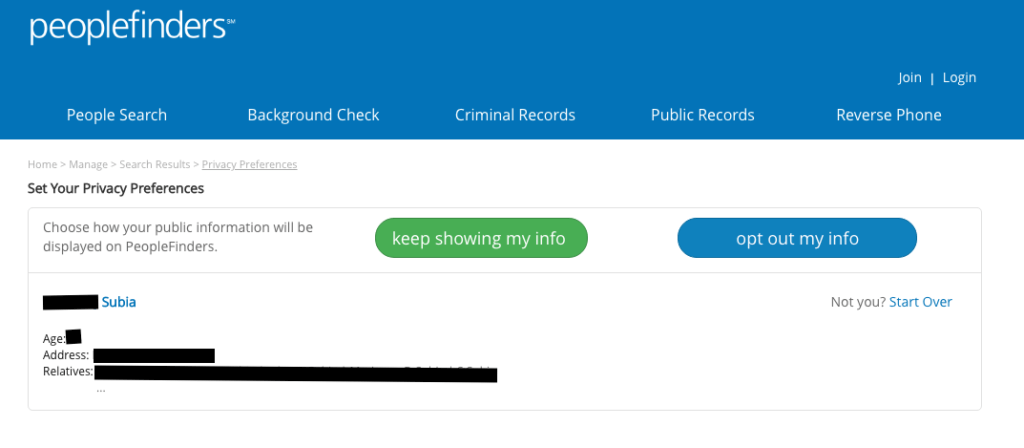
4. Click both boxes and perform the CAPTCHA.
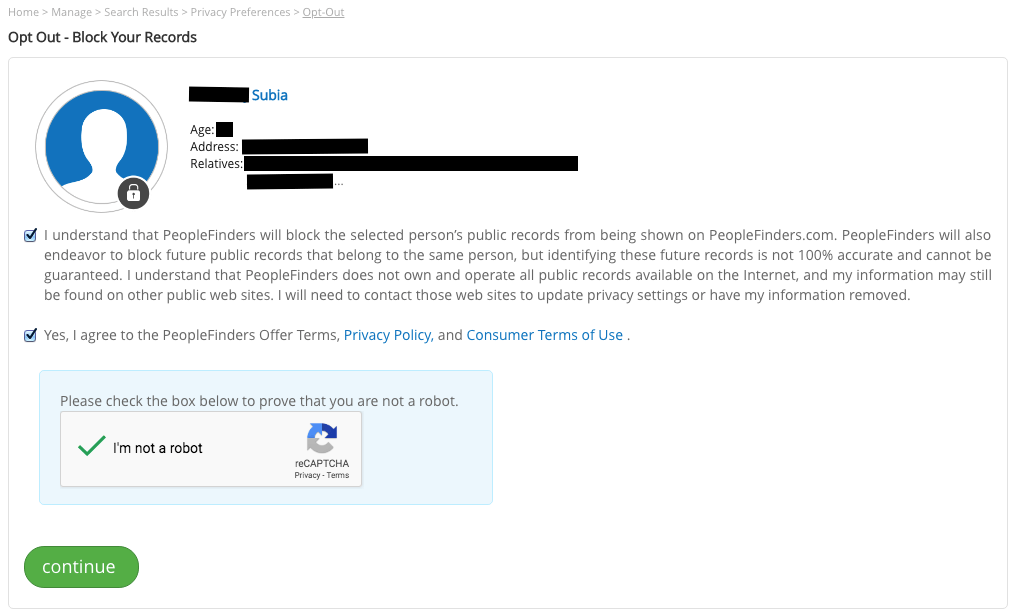
peoplefinders opt out
Screenshot taken by Julianne Subia/Abine

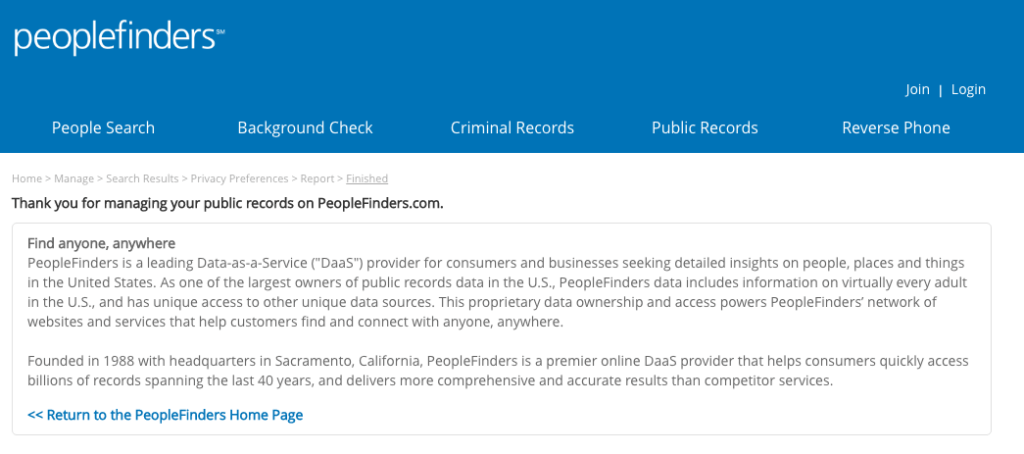
5. You will be redirected to a confirmation page.
SHARE THIS ARTICLE
Julianne Subia was DeleteMe’s head opt-out researcher and content marketing specialist from 2018 – 2020. Julianne helped revolutionize the space by publishing some of the first in-depth collections o…
Special Offer

Save 10% on any individual and
family privacy plan
with code: BLOG10

Hundreds of companies collect and sell your private data online. DeleteMe removes it for you.

Our privacy advisors: 

  • Continuously find and remove your sensitive data online
  • Stop companies from selling your data – all year long
  • Have removed 35M+ records
    of personal data from the web
Want more privacy
news?
Join Incognito, our monthly newsletter from DeleteMe that keeps you posted on all things privacy and security.
Icon mail and document

Don’t have the time?

DeleteMe is our premium privacy service that removes you from more than 750 data brokers like Whitepages, Spokeo, BeenVerified, plus many more.

Save 10% on DeleteMe when you use the code BLOG10.

Related Posts

img-optoutdatabrokers

Whitepages Opt-Out Guide

If you’re wondering how to make a Whitepages opt-out request, you’re not the only one.  Many people are uncomfortable with the amount of persona…
Julianne Subia
September 11, 2018
intelius opt out intelius people search intelius review zabasearch opt out zabasearch removal zaba search

Featured Data Broker — ZabaSearch: Opt-Out and Learn More

ZabaSearch is a data broker site owned by Intelius that posts your personal information online.  Use this guide to complete a ZabaSearch opt-out…
Julianne Subia
January 11, 2019
img-backgroundcheck

Featured Data Broker — TruthFinder: Opt-Out and Learn More

TruthFinder is a data broker that collects, posts, and sells personal information online. Use this free guide to learn more about TruthFinder, opt-ou…
Julianne Subia
April 5, 2019