How to Delete Your Best Buy Account


Table of Contents
To delete your Best Buy account, you need to complete a request process. After this, your Best Buy account should be permanently deleted, effective immediately.
| Speed: 1 | Difficulty: 2 |
|---|---|
 |
 |
Walkthrough to Delete Your Best Buy Account
Delete your Best Buy account in six steps.
1. Access the Best Buy request page
Head to the Best Buy request page here.
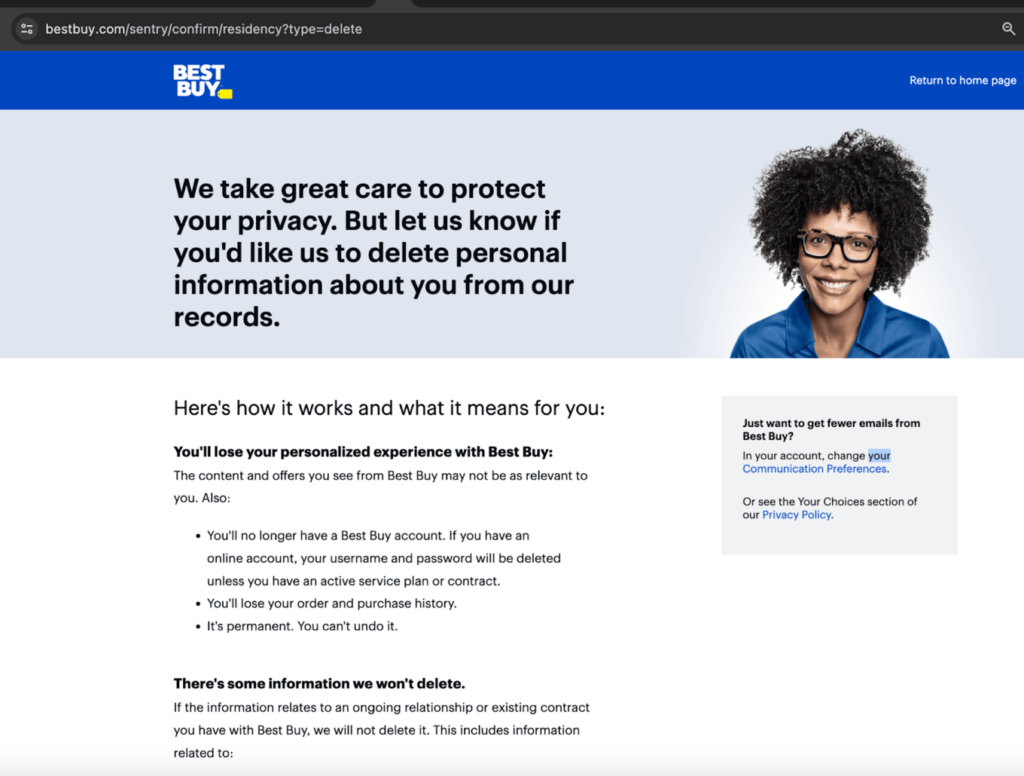
2. Click “Continue”
Read the disclaimers and click the “Continue” button.
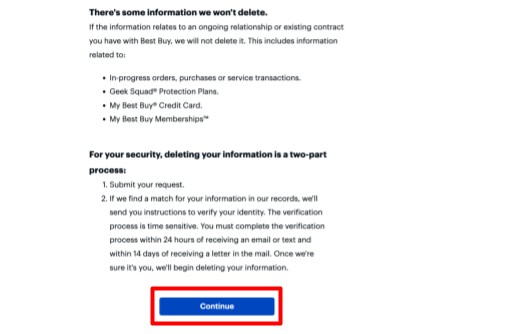
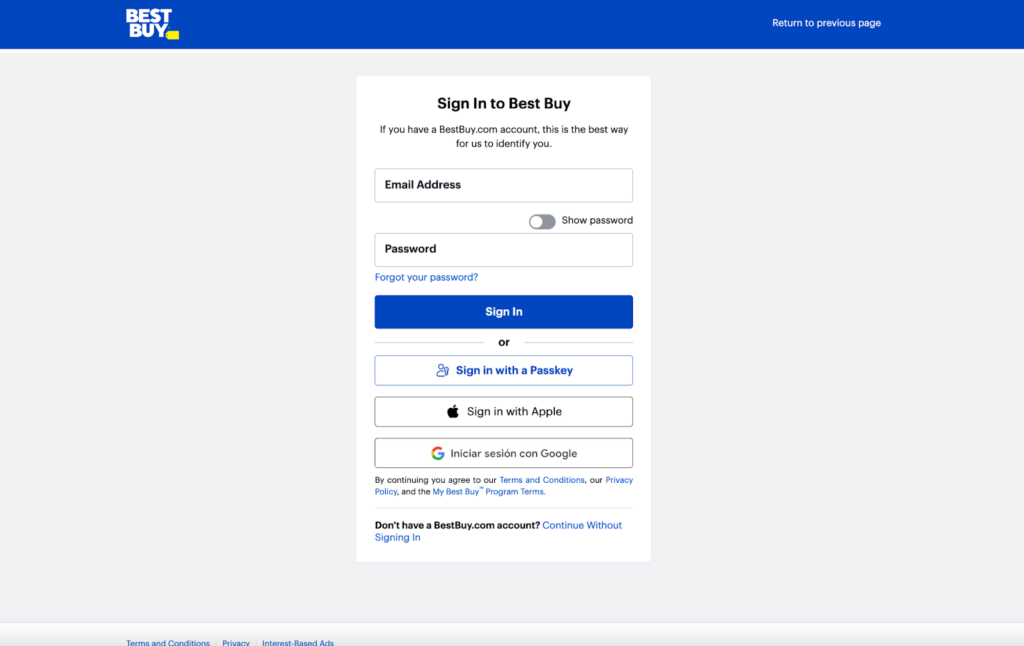
3. Sign in to your Best Buy account
Enter your login information to sign in to your Best Buy account.
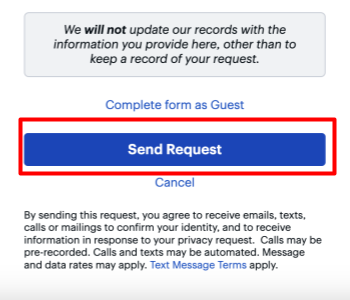
4. Click “Send Request”
Verify your information and click the “Send Request” button.
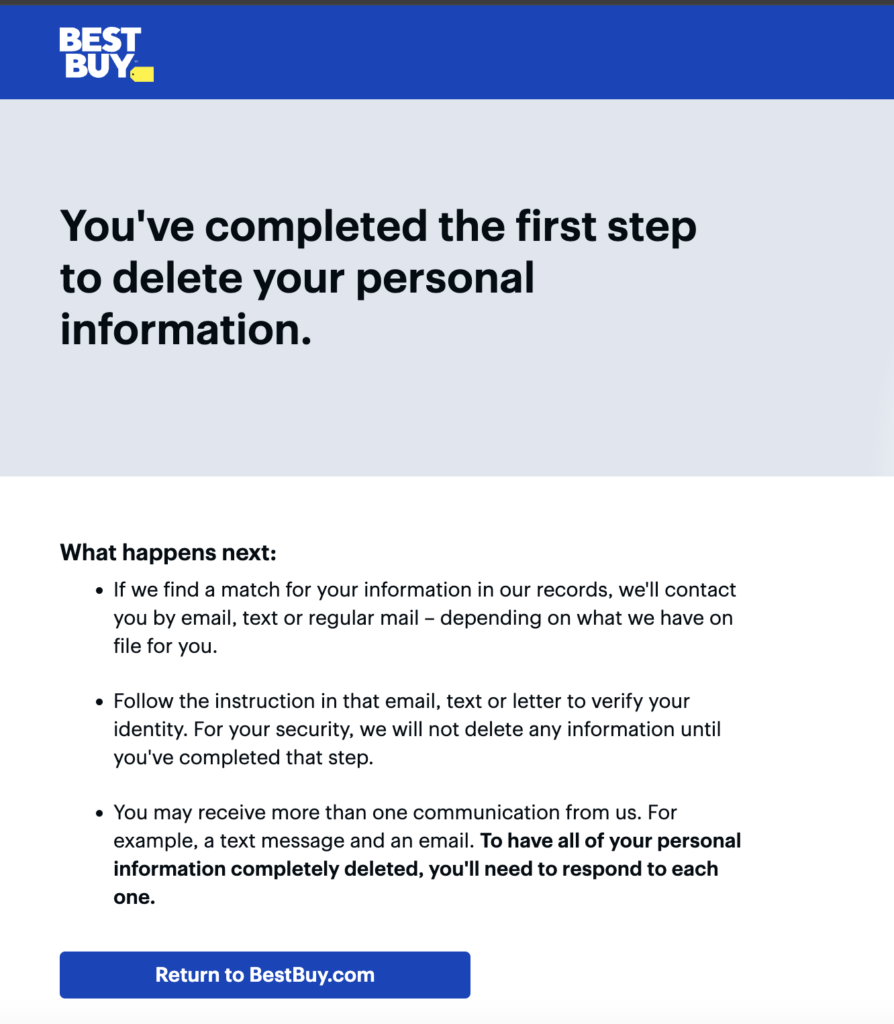
A notification will appear confirming that you’ve completed the first part of your request.
Best Buy will send you an email to verify your identity.
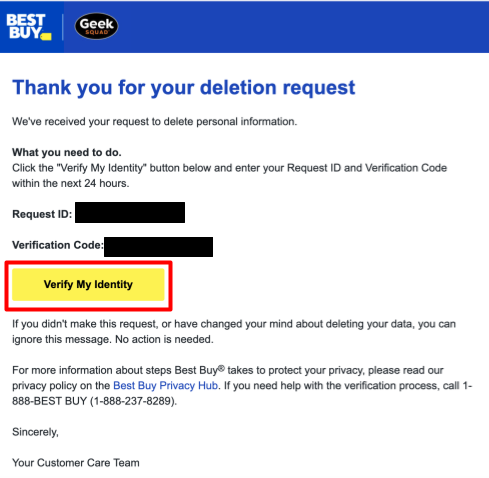
5. Go to your email inbox and click “Verify My Identity”
Go to your email inbox.
Find the email from Best Buy and click the “Verify My Identity” button.
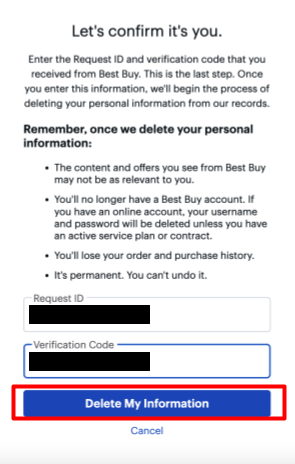
6. Enter Request ID and Verification Code and click “Delete My Information”
Enter the Request ID and Verification Code from the Best Buy email.
Click the “Delete My Information” button.
A notification will appear confirming that your request has been completed and your Best Buy account has been permanently deleted.
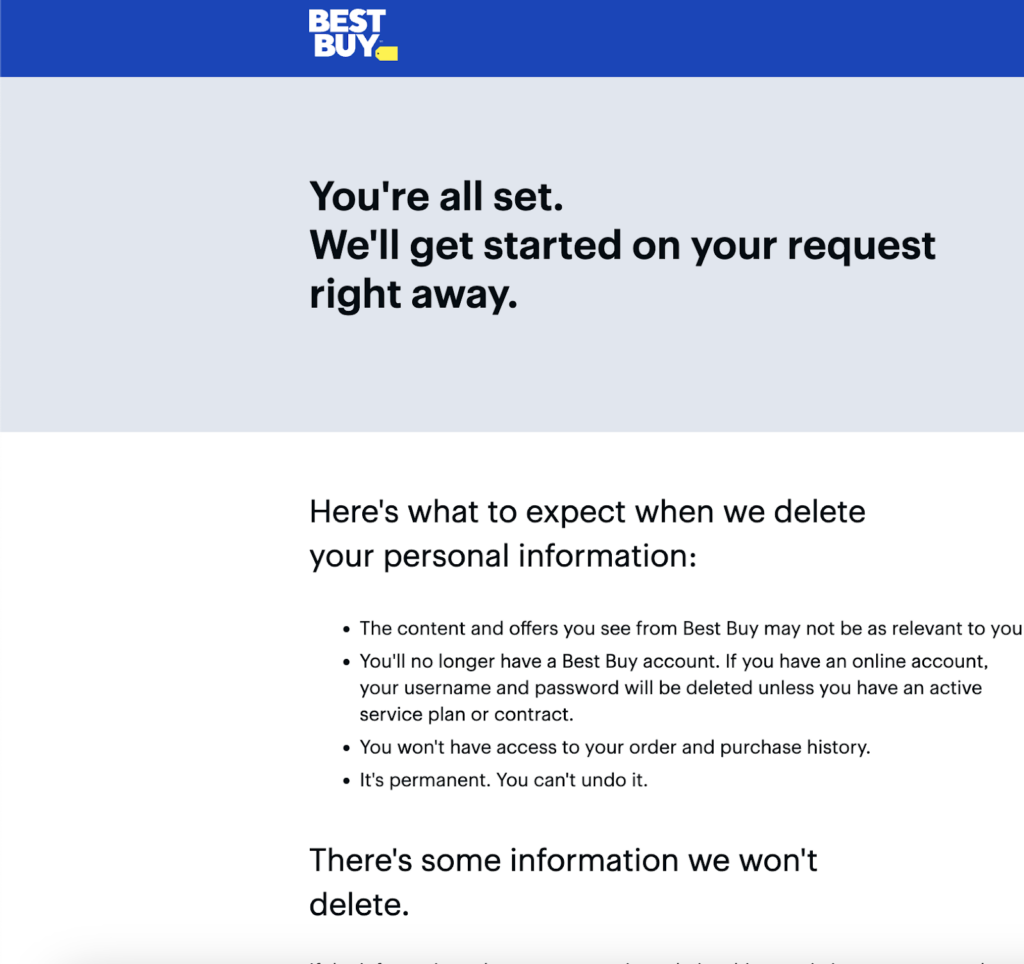
You have deleted your Best Buy account.
Manage Additional Privacy Choices
Even though you have deleted your bestbuy.com account, some of your personal information may still be retained by bestbuy.com.
In order to exercise additional privacy measures, follow the steps below.
Opt out of targeted marketing
To change your communication preferences, visit the Best Buy communication preferences page.
Opt out of sale of information
To stop Best Buy from selling your personal information to third parties, visit the do not sell page on the Best Buy website.
Opt out of data brokers
Deleting your Best Buy account will help cut down on some spam, but to get a full digital cleanup, use DeleteMe to remove yourself from dozens of data broker websites.
Learn More:
- See how to delete your Canva account.
- Learn how to delete your Pinterest account.
- Read how to delete your Etsy account.
- Discover how to remove your personal information from the internet.

news?

Don’t have the time?
DeleteMe is our premium privacy service that removes you from more than 750 data brokers like Whitepages, Spokeo, BeenVerified, plus many more.
Save 10% on DeleteMe when you use the code BLOG10.
Related Posts
How to Delete Your WhatsApp Account