Gmail AI Opt-Out Guide


Table of Contents
I recently came across several articles and Reddit posts warning Gmail users that Google has automatically opted everyone into having their emails scanned and used for AI training.
This was (unpleasant) news to me as someone who has used Gmail for over a decade, so I went looking for how to turn this setting off.
What I found is that though it is true that Gmail’s smart features can scan your email content to power built-in functions like spam filtering, inbox categorization, and writing suggestions, Google states this is separate from training its generative AI models.
So, in this guide, I explain what Gmail’s “smart features” actually do and how to opt out.
What Are Gmail’s “Smart Features”?
Google’s smart features are a set of AI-powered features built into Gmail and the wider Google Workspace platform (Chat, Meet, Drive, and so on).
They work by letting Google’s AI read your content, like emails and documents, so that it can provide personalized help, like automatic email filtering and suggested email replies.
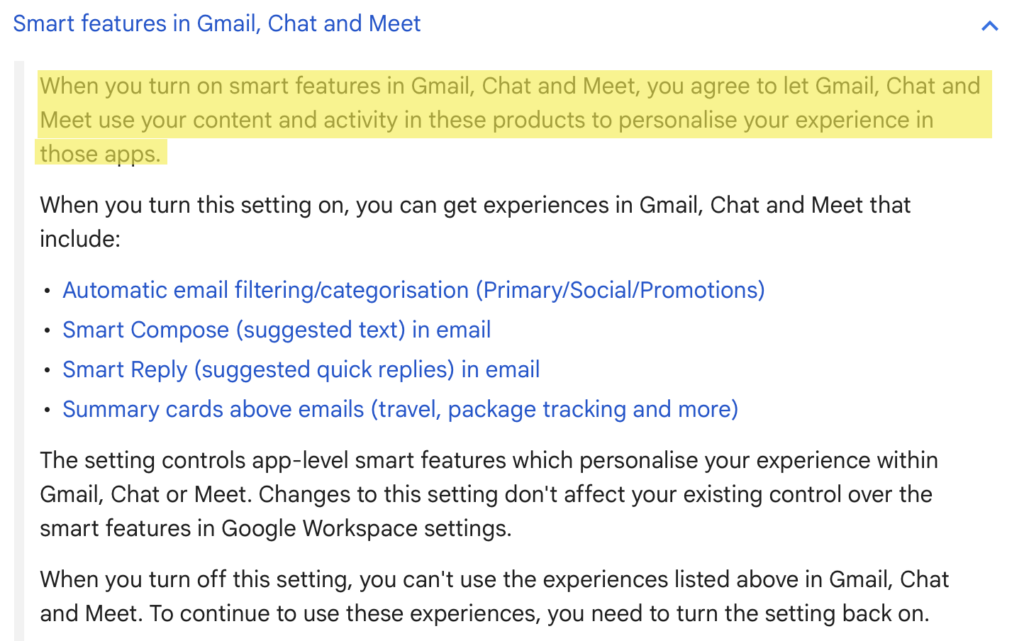
According to Snopes, Google’s “smart features” have used AI to access private content for years, with tutorials on how to turn them off dating back to 2020.
By having the smart features box toggled on, you consent to Google accessing your content to personalize features and improve its services, including research and development.
You can opt out by turning off smart features in Gmail settings.
Gmail AI: Opt Out of Smart Features
Here’s how you can opt out of Gmail’s smart features in four simple steps.
1. Click the cog (“settings”) icon in your Gmail inbox
Log in to your Gmail account.
Click the cog (“settings”) icon in the top right corner.

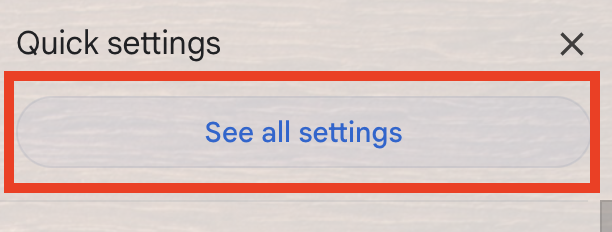
2. Click “See all settings”
From the pop-up menu that appears on the right side, select “See all settings.”
3. Untick the checkbox beside ‘Smart features’
Scroll until you see ‘Smart features.’
Untick the checkbox beside the setting.

4. Click “Turn off and reload”
A pop-up window will appear, notifying you that turning off smart features requires reloading Gmail.
Click the “Turn off and reload” button.
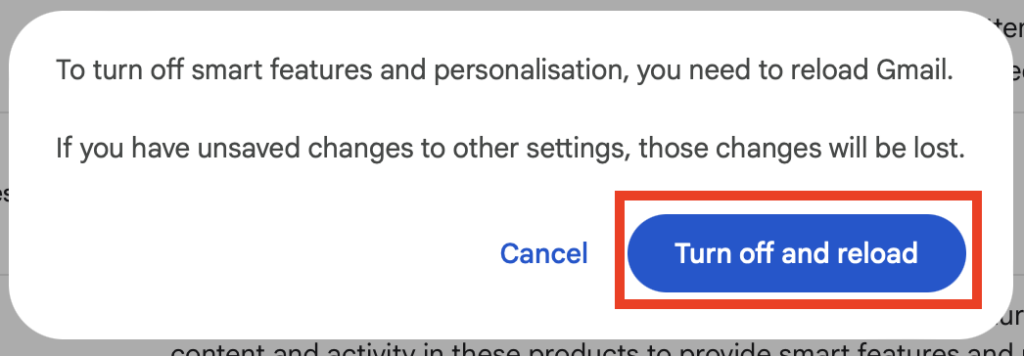
Your Gmail will be reloaded, and Gmail’s smart features will be turned off.
That’s it!
You should notice the difference immediately. For example, your emails will no longer be automatically sorted into the ‘Promotions’ and ‘Social’ tabs, and you will no longer see smart reply suggestions.
What Happens After You Turn Off Gmail’s Smart Features
After you turn off Gmail’s smart features, Google’s AI stops scanning your Gmail content and activity for personalization, though certain features that have their own individual on/off toggles survive.
This means that you will no longer get automatic inbox categorization, Smart Compose (i.e., the suggested text that appears when you type), Smart Reply (i.e., suggested responses under emails), and summary cards above emails.
How to Contact Gmail
Google doesn’t offer phone, email, or live chat support for free users. Google Workspace customers get access to live chat support.
Don’t Forget Data Brokers and People Search Sites
After you turn off Gmail’s smart features, you should also spend some time opting out of data brokers and people search sites.
- Turning off Gmail’s smart features stops Google’s AI from accessing the contents of your inbox, chats, and other private communications.
- Opting out of data brokers and people search sites reduces the amount of your personal information exposed online.
Data brokers and people search sites are companies whose business model relies on collecting personal data about individuals from various different sources, collating this data into comprehensive profiles, and then selling these profiles to more or less anyone who wants them.
If someone knows your name, phone number, email address, home address, or, in some cases, even just a username, they can find out more details about you, like where you live and work and who you’re related to.
Luckily, you can opt out of data brokers and people search sites. To see how, take a look at our step-by-step data broker and people search site opt-out guides.
Opting out once isn’t enough, however. These companies are known to relist individuals’ information as soon as they come across more of it. As such, opt-outs need to happen regularly. This means you need to recheck these sites periodically and, if you find that your profile has been relisted, send another opt-out request.
If this sounds like too much work and you don’t want to give up your privacy, subscribing to a data broker removal service like DeleteMe can help. Our privacy experts will remove you from data brokers and people search sites on your behalf. And they’ll continue to do so to ensure you remain opted out.

news?

Don’t have the time?
DeleteMe is our premium privacy service that removes you from more than 750 data brokers like Whitepages, Spokeo, BeenVerified, plus many more.
Save 10% on DeleteMe when you use the code BLOG10.
Related Posts


Julius AI Data Privacy Settings Guide