How to Opt Out of AI on Tumblr


Table of Contents
Even though I have a Tumblr account that I use, I never once thought to search for “how to opt out of AI on Tumblr.”
Until recently, it hadn’t even occurred to me that my Tumblr blog content might be used to train AI models. As it turns out, I might have been a bit naive.
If you’re in the same boat, you’ll be happy to know that opting out of AI on Tumblr is very easy. The only tricky part is actually finding the setting. I’ve already done that, so here’s where to find it.
What Is Tumblr AI Training?
Tumblr AI training refers to Tumblr user content being used to train AI firms’ models.
In 2024, Tumblr published a post saying it already tries to discourage AI crawlers from scraping the site, except for companies it has actual partnerships with.
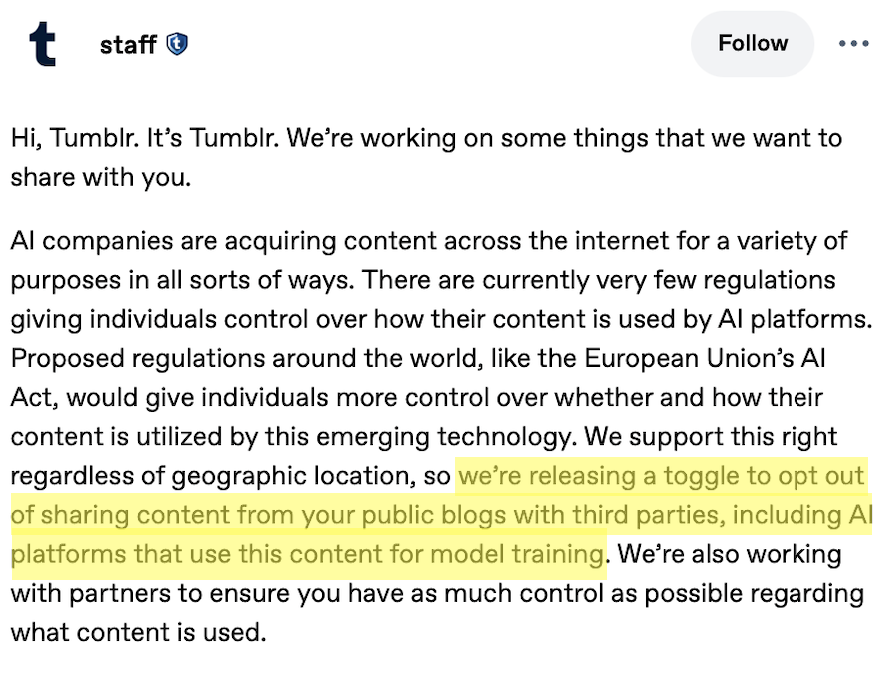
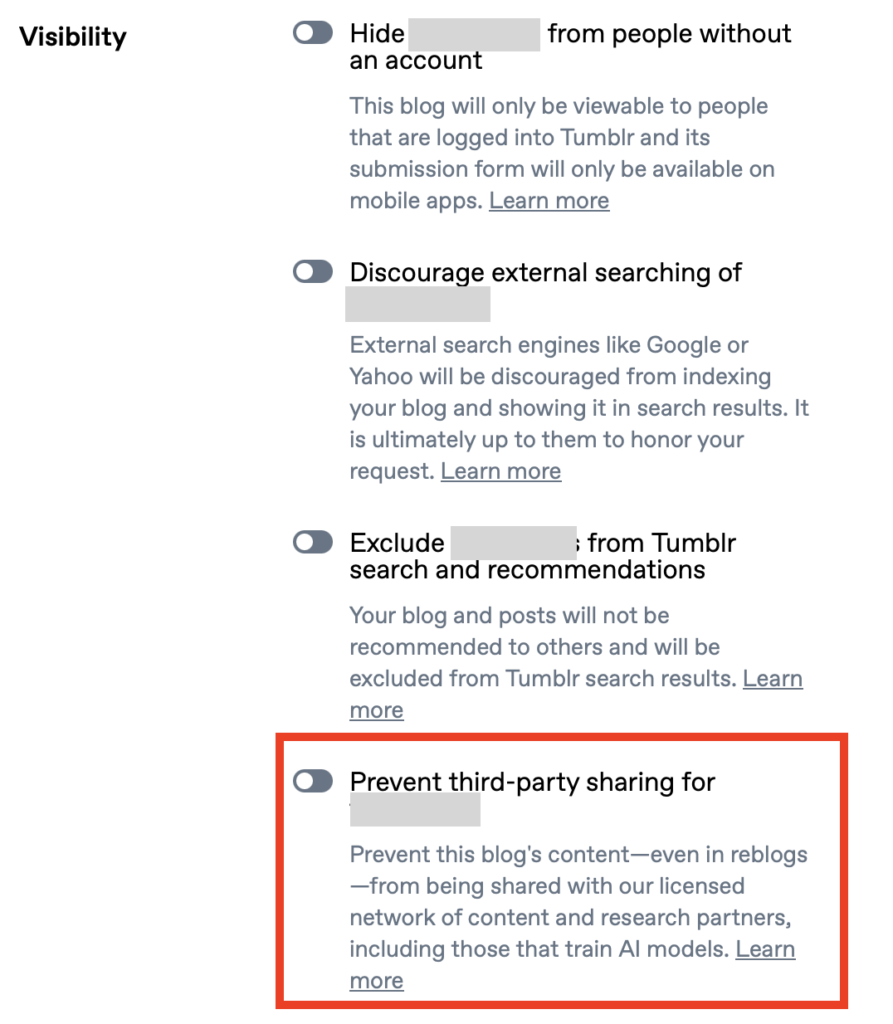
To opt out, you go into each of your public blogs’ settings on the web and switch on “Prevent third-party sharing.” You have to do this per blog, not just once for your whole account.
If you had previously turned on the “discourage search” setting (the one that keeps search engines from indexing your blog), Tumblr automatically toggled the new privacy toggle on for you. So you may already be opted out without doing anything.
How to Opt Out of Tumblr AI Training
You can opt out of Tumblr AI training in five steps.
1. Sign in to your Tumblr account
Go to https://www.tumblr.com/ and sign in to your account.
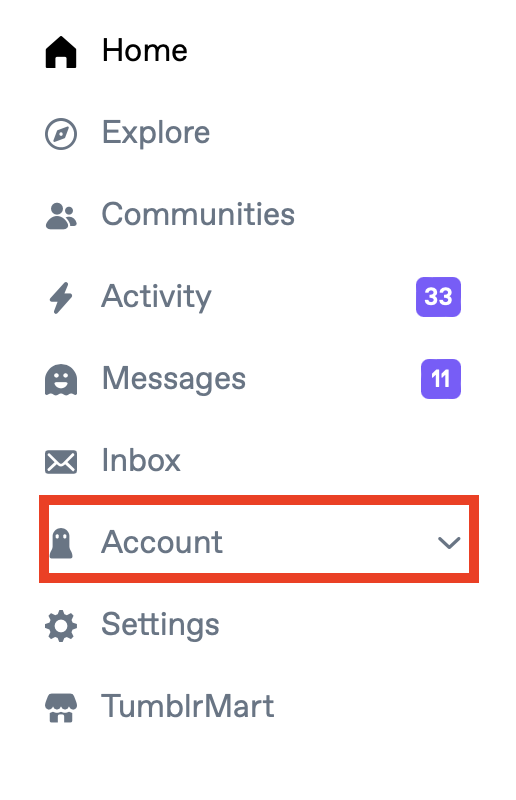
2. Click “Account”
Select “Account” from the menu on the left-hand side.
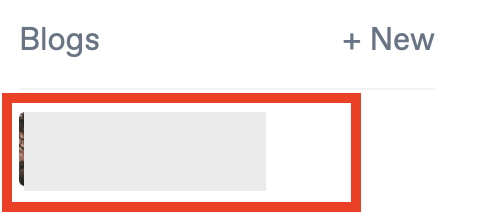
3. Select your blog
Under ‘Blogs,’ select your blog.
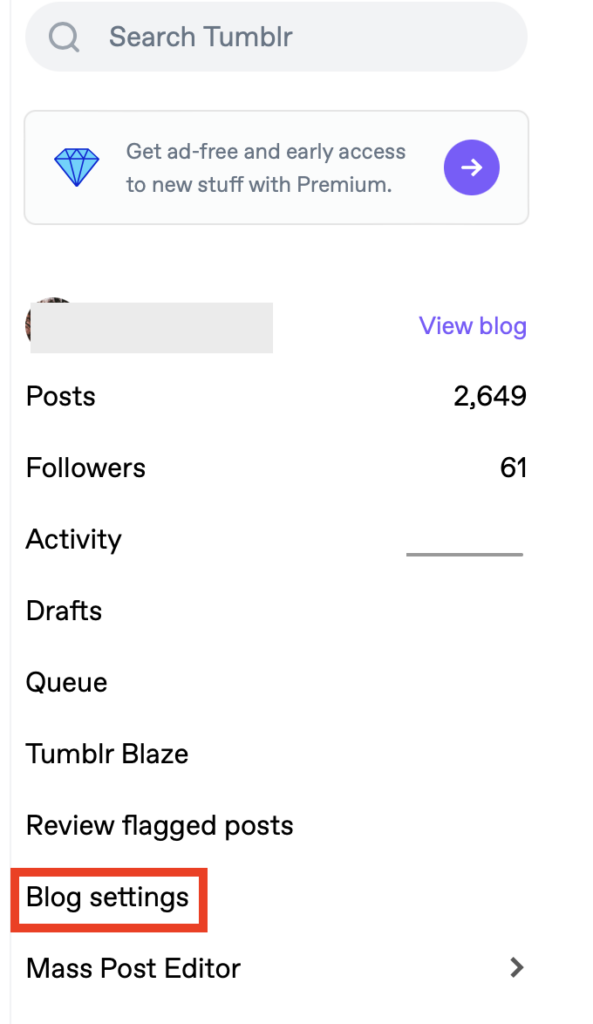
4. Click “Blog settings”
Click “Blog settings” from the menu on the right-hand side.
5. Toggle on ‘Prevent third-party sharing for …’
Scroll until you see the ‘Visibility’ section.
Toggle on the ‘Prevent third-party sharing for…’ setting.
That’s it!
Now do the same for any other Tumblr blogs you have.
What Happens After You Opt Out of Tumblr AI Training
After you opt out of Tumblr AI training, your blog’s content will no longer be used for AI training purposes.
How to Contact Tumblr
You can contact Tumblr by visiting the Tumblr Help Center here: https://help.tumblr.com/ and then clicking the “Contact Support” button in the top right corner.

An online form will open, where you can describe your issue and share your email address to receive a response from Tumblr staff.
Don’t Forget Data Brokers and People Search Sites
You’ve opted out of AI on Tumblr, but don’t stop there. Next, take the time to remove yourself from data brokers and people search sites, as well.
- Opting out of AI on Tumblr keeps your blog content from being used to train AI models.
- Opting out of data brokers and people search sites minimizes what personal data of yours is exposed on the web.
Data brokers and people search sites gather your personal details from a wide variety of sources (public records, social media, etc.), compile them into profiles, and then share/sell those profiles on their sites.
Someone who knows your name/phone number/email address/address/username can use these sites to find out more personal data about you, including your full name, where you live and work, and who you’re related to. A lot of the time, this information is a simple Google search away.
If you don’t want your personal information to be so easily accessible to just about anyone, you can opt out. Check out our step-by-step data broker and people search site opt-out guides to start removing yourself from sites like BeenVerified, Intelius, Spokeo, TruthFinder, Radaris, Instant Checkmate, PeopleFinders, Fast People Search, and others.
Even after you opt out, you’ll need to re-check these sites periodically for the re-emergence of your personal data. That’s because once data brokers and people search sites find more of your information, they will relist you. For this reason, opt-outs need to happen regularly.
Don’t have the time for manual opt-outs? That’s where data broker removal companies like DeleteMe come in. We can opt you out of data brokers and people search sites on your behalf and make sure you remain opted out for maximum privacy.

news?

Don’t have the time?
DeleteMe is our premium privacy service that removes you from more than 750 data brokers like Whitepages, Spokeo, BeenVerified, plus many more.
Save 10% on DeleteMe when you use the code BLOG10.
Related Posts


Julius AI Data Privacy Settings Guide