How to Opt Out of Claude AI Training


Table of Contents
If, like me, you use any of Antrophic’s Claude models (Haiku, Sonnet, Opus, etc.), but you still care about privacy, you’ll probably want to opt out of Claude AI training.
Doing so is pretty straightforward. The entire process took me about 10 minutes, and that included finding where the AI training setting was located. If you follow this guide, you should be able to opt out of Claude AI training in about five minutes or less.
What Is Claude AI Training?
Claude AI training refers to Anthropic using your inputs (the information you give Claude), as well as Claude’s outputs in response to your inputs, to train Anthropic’s AI models.
Note that Claude only uses your data for AI training by default if you’re on a Claude consumer plan (i.e., Claude Free, Claude Pro, and Claude Max). It does not train on your data if you’re a Claude commercial plan user. The only exception is if you send feedback or bug reports, or otherwise give the company the go-ahead to use your data.
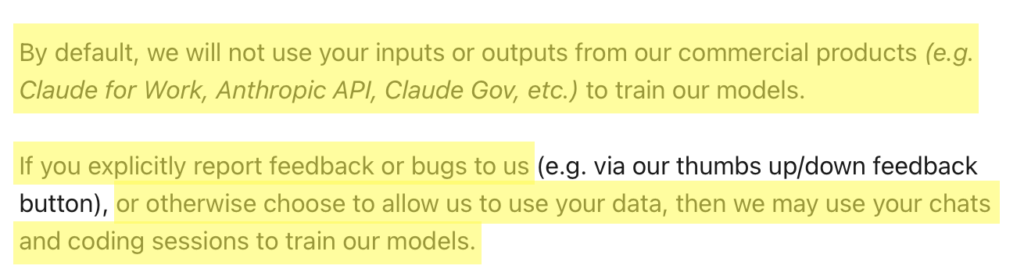
Anyone on a Claude Free, Pro, or Max account can turn the training setting off in privacy controls to keep new chats out of model training and stay on Anthropic’s standard 30-day deletion window. In contrast, if the AI training setting is on, then Anthropic can keep your data in de-identified form for up to five years, though only for new or resumed chats from the moment you switch it on.
Anthropic says that it filters or masks sensitive data, strips your data of any link to your user ID before a human looks at it, and never sells user data to outside parties. Even so, it still warns against typing in sensitive details.
Something worth knowing is that if you tap the thumbs-up or thumbs-down button, Anthropic will keep that specific conversation for up to five years, de-linked from your user ID, and may use it for research and training. This applies no matter how your training setting is configured.
How to Opt Out of Claude AI Training
Here’s how you can opt out of Claude AI training in five steps.
1. Log in to your Claude account
Sign in to your Claude account.
2. Select your profile icon
In the bottom left of your screen, select your profile icon.

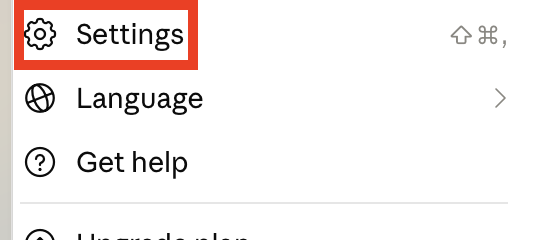
3. Select “Settings”
You will now see a drop-down menu.
Click “Settings.”
4. Select “Privacy”
From the menu on the left, click “Privacy.”
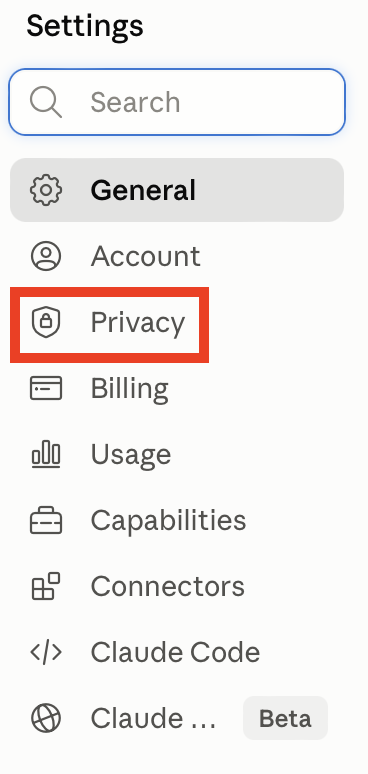
- Toggle off ‘Help improve Claude’
You will see a ‘Help improve Claude’ setting with a toggle next to it.
If the toggle is on, toggle it off.

That’s it.

Where opting out does not apply
There is one catch to opting out of Claude’s model training. Should your conversation get flagged by Anthropic’s trust and safety classifiers as a possible breach of the Usage Policy, it can still be looked at and used for the company’s safety systems.
Flagged inputs and outputs may be kept for as long as two years, and the classification scores that go with them for up to seven.
What Happens After You Opt Out of Claude AI Training
After you opt out of Claude AI training, Anthropic will not use your stored chats for future training of its AI models. That said, you cannot remove the data that is already in a training run or part of the models already built.
How to Contact Claude
Claude users can look for help through Claude’s help documentation, Fin (Claude’s AI support bot), and the Product Support team. There is no phone or live chat.
To talk to Fin or the Product Support team, log in to your Claude account, click your initials or name in the lower left corner, and select “Get help” from the menu.
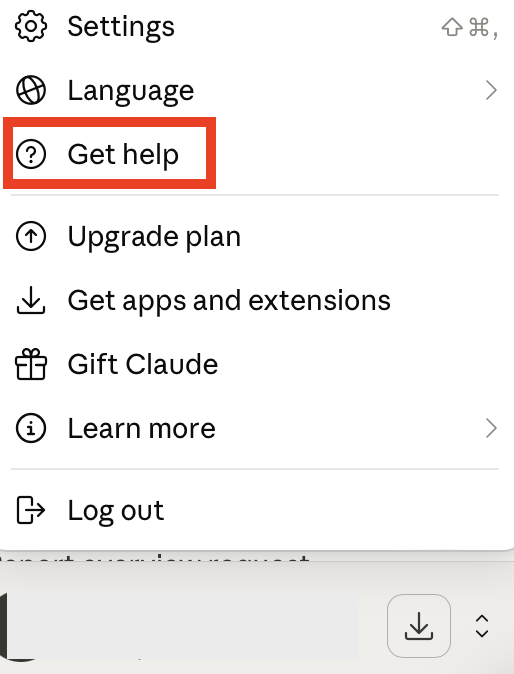
In the messenger, you can search through the help resources or talk with Fin, and if you click “Send us a message” then “Accept”, you can select your issue and share details when prompted to do so.
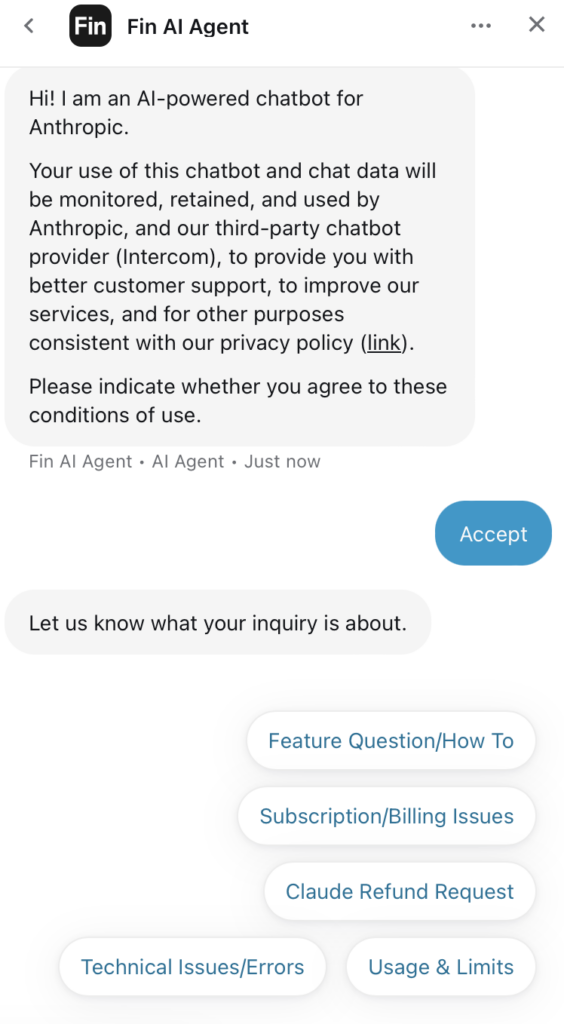
If Fin can’t help you, it will pass on your inquiry to the Product Support team, and someone will reply to you via email.
If your question is about the API or Console rather than the chat app, you do the same thing but from platform.claude.com. Log in to your Console account, click your initials or name in the lower left side, select “Get help”, and a support messenger will open up.
Don’t Forget Data Brokers and People Search Sites
After opting out of Claude AI training, it’s tempting to think that you’ve done all you could for your privacy. However, that is not the case. To take it further, you should also opt out of data brokers and people search sites.
- Opting out of Claude AI training stops Anthropic from training its AI models with your data.
- Opting out of data brokers and people search sites reduces the amount of your personal data that is exposed to anyone on the web.
Data brokers and people search sites collect your personal information from sources like public records and social media, collate this information into comprehensive profiles, and then share/sell these profiles to pretty much anyone who wants to access them.
Profiles can include information like your full name, address, phone number, email address, employment history, education history, social media handles, and possible associates and relatives, among other things.
Anyone can find this data by simply Googling your name or address.
Don’t like the sound of that? The good news is that you can opt out of these sites displaying your personal data. See our step-by-step data broker and people search site opt-out guides for detailed instructions on how.
Opting out once sadly won’t do it. As soon as data brokers find more of your data online, they republish your profile. As such, you need to re-check these sites periodically and, if you notice that your information has been relisted, request opt-out again.
If you’d rather spend this time doing something else, a data broker removal company like DeleteMe can help. Our privacy experts will opt you out of data brokers and people search sites on your behalf (and re-send opt-outs as needed).

news?

Don’t have the time?
DeleteMe is our premium privacy service that removes you from more than 750 data brokers like Whitepages, Spokeo, BeenVerified, plus many more.
Save 10% on DeleteMe when you use the code BLOG10.
Related Posts


Julius AI Data Privacy Settings Guide