Twitter AI Training Opt-Out Guide


Table of Contents
I have had an X account since back when it was still called Twitter, so finding out my posts were being used to train AI models was a (not very pleasant) surprise.
The good news is that you can toggle this setting off in about a minute once you know where to look.
Here is exactly where to find it.
What Is Twitter AI Training?
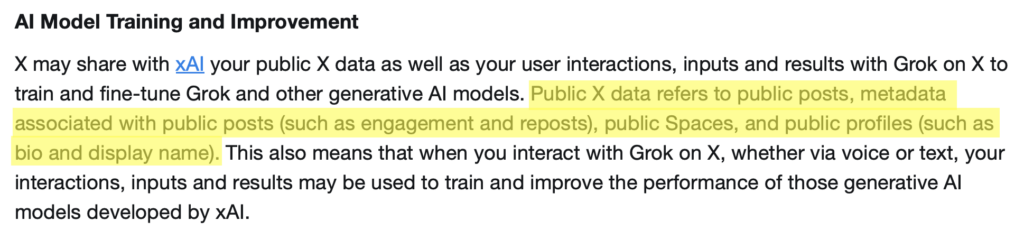
Twitter AI training refers to X sharing your public X data with xAI, the company behind Grok, to train and fine-tune Grok and other generative AI models.
The following public X data may be shared for training purposes:
- Public posts and the metadata attached to them (engagement, reposts).
- Public Spaces.
- Public profile details like your bio and display name.
How to Opt Out of Twitter AI Training
By default, X uses your public posts and profile data to train xAI’s Grok. You can opt out in settings, but it only stops future use, not data already collected.
Here’s how you can opt out of Twitter AI training in five steps.
1. Log in to your X account
Go to https://x.com/.
Sign in to your X account.
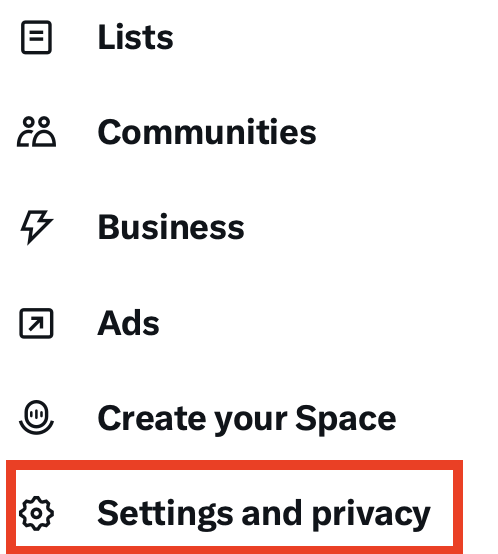
2. Click “More” from the left side menu and then “Settings and privacy”
From the menu on the left, select “More.”
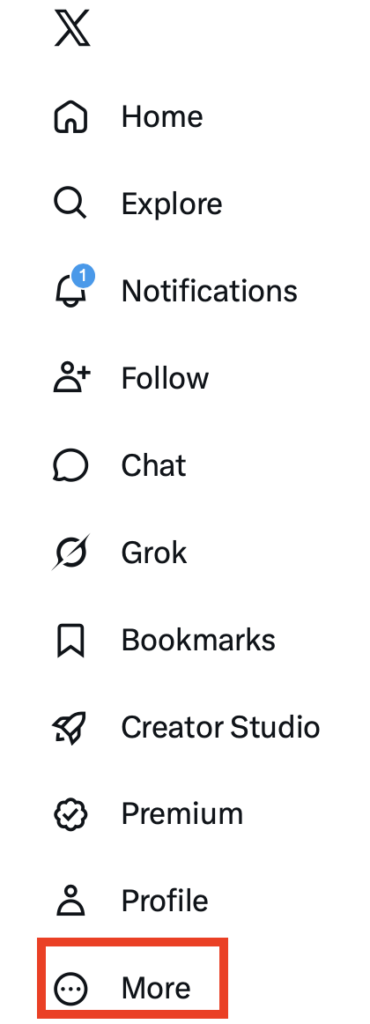
A pop-up menu will appear.
Select the “Settings and privacy” link.
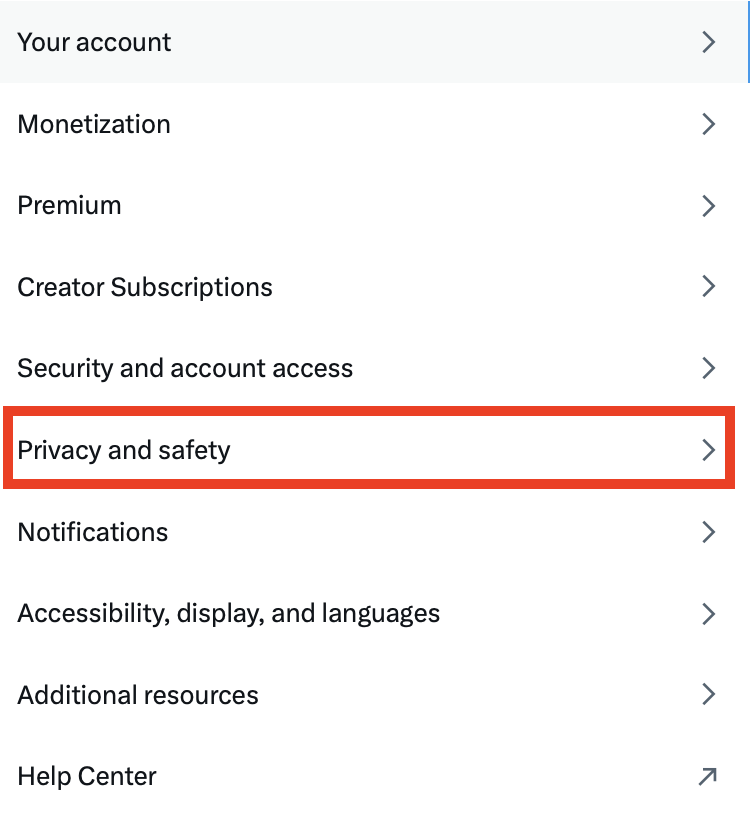
3. Select “Privacy and safety”
From the menu in the center, select the “Privacy and safety” link.
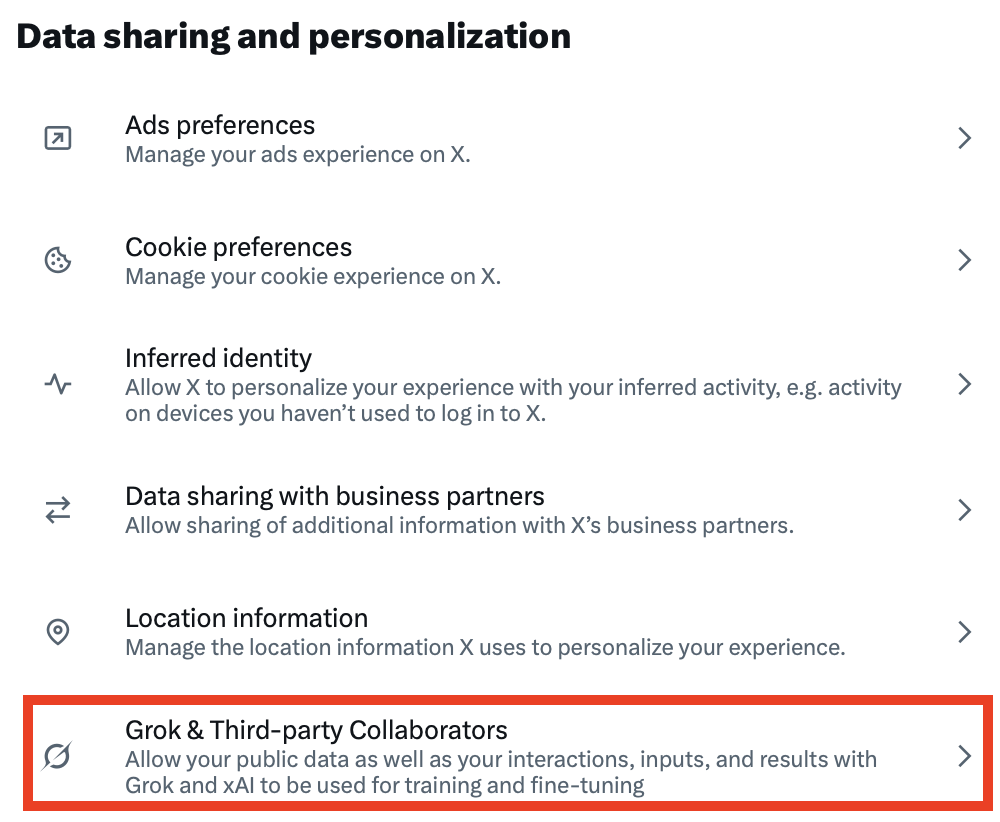
4. Click “Grok & Third-party collaborators”
In the menu on the right, scroll until you see the ‘Data sharing and personalization’ section.
Click “Grok & Third-party Collaborators.”
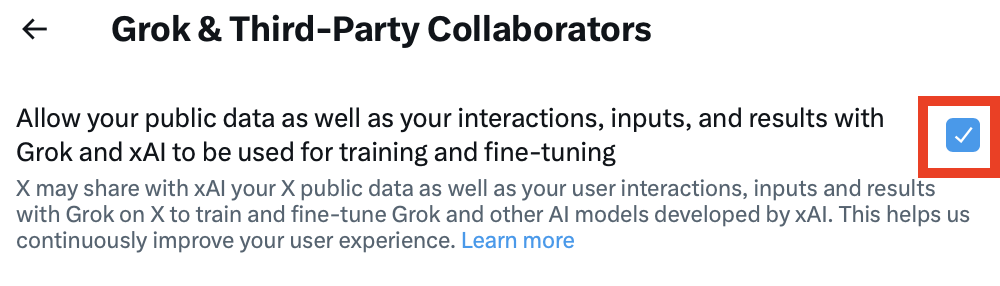
5. Untick the checkbox next to ‘Allow your public data as well as your interactions, inputs, and results with Grok and xAI to be used for training and fine-tuning’
You will see the setting ‘Allow your public data as well as your interactions, inputs, and results with Grok and xAI to be used for training and fine-tuning.’
If the checkbox next to it is ticked, untick it.
That’s it!

Your X public data will no longer be shared with Grok for AI model training.
What Happens After You Opt Out of Twitter AI Training
After you opt out of Twitter AI training, X stops using your public posts, bio, display name, and other profile data to train xAI’s models going forward. Anything that’s already in a training run will stay there, since that data can’t be retroactively removed.
How to Contact Grok
For general support and account or subscription issues with Grok, you can email them at [email protected]. You can also see Grok’s “Get in touch” page.
Don’t Forget Data Brokers and People Search Sites
After you opt out of Twitter AI training, you should also opt out of data brokers and people search sites.
- Opting out of Twitter AI training stops X from training its AI models with your public X data.
- Opting out of data brokers and people search sites minimizes your personal data exposure more broadly.
Data brokers and people search sites are companies that gather your personal data from a wide variety of sources (think public records, social media, etc.), combine it into profiles, and share and/or sell these profiles to anyone who wants them.
Profiles can have data like your full name, email address, phone number, address, employment history, education history, and any known relatives and associates, among other things.
Finding this data is easy. All someone needs to do is search for you (by name, address, phone number, email address, or, in some cases, even just by your username) in a search engine like Google or directly in a people search site (like Whitepages or Intelius, for example).
Luckily, you can stop these sites from displaying your personal data by opting out. Check out our step-by-step data broker and people search site opt-out guides to learn how.
Just a reminder that you might need to opt out of the same people search site or data broker more than once. These sites are known to republish people’s profiles if they come across more of their information, so for maximum privacy, it’s a good practice to re-check these sites periodically and request additional opt-outs if/when your data reappears.
Alternatively, subscribe to a data broker removal company like DeleteMe. Our privacy experts will handle data broker opt-outs on your behalf.

news?

Don’t have the time?
DeleteMe is our premium privacy service that removes you from more than 750 data brokers like Whitepages, Spokeo, BeenVerified, plus many more.
Save 10% on DeleteMe when you use the code BLOG10.
Related Posts


Julius AI Data Privacy Settings Guide