
TruePeopleSearch Removal Guide

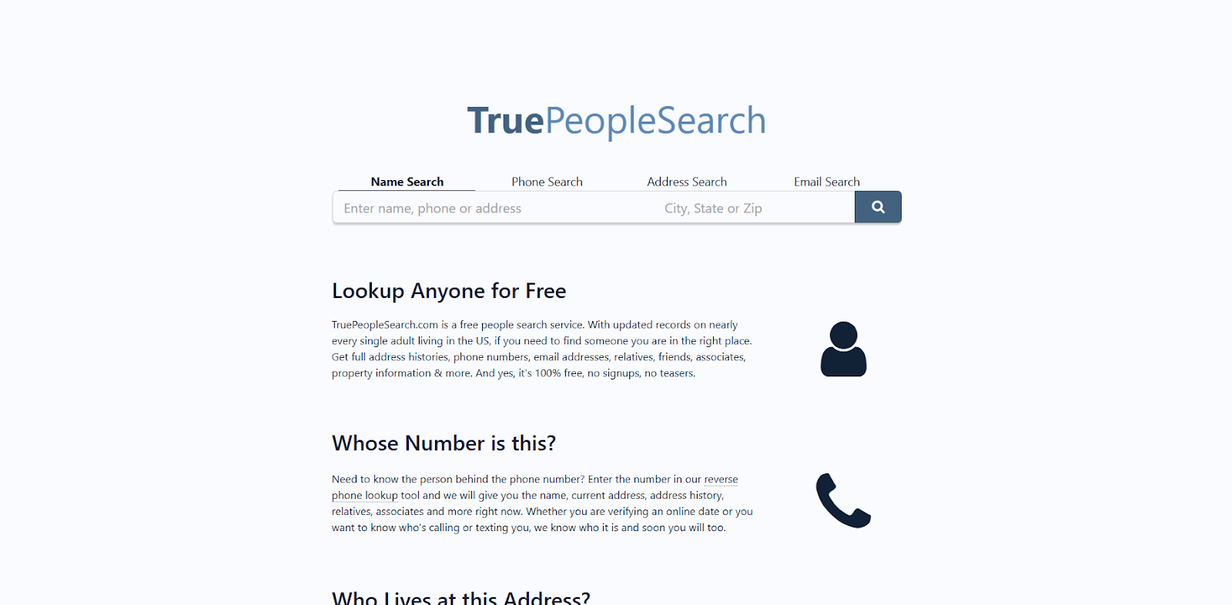
TruePeopleSearch is a popular data broker site that collects and sells personal information, including current and previous home addresses, birth dates, phone numbers, and much more.
To opt out of TruePeopleSearch, follow our TruePeopleSearch removal guide below.
Note: Data brokers regularly change their opt out processes. If this process is inaccurate, please contact us directly so we can update it. As of August 2026, following this guide should let you remove yourself from TruePeopleSearch successfully.
Here’s what we cover:
Table of Contents
For a quicker and easier alternative to manual opt outs, subscribe to DeleteMe.
What Is TruePeopleSearch?
TruePeopleSearch is a data broker.
It collects personal information about individuals from various sources like public records and social media and collates it into comprehensive profiles, which it publishes on its site for more or less anyone to access.
TruePeopleSearch says it has “updated records on nearly every single adult living in the US.”
Its people reports include details like:
- Full name
- Any known aliases
- Age
- Date of birth
- Current address
- Previous addresses
- Phone numbers
- Email addresses
- Property details
- Possible relatives
- Possible associates
- And more
You can search for people on TruePeopleSearch by name, phone number, email address, or address.
TruePeopleSearch can be used to find lost friends and relatives or see who made a missed call.
Why should you remove yourself from TruePeopleSearch?
TruePeopleSearch describes itself as a “free people search tool.”
In other words, anyone can find your personal information on this website for free. This puts you at an increased risk of targeted threats like stalking, harassment, doxxing, identity theft, phishing, social engineering, and more.
You can perform a TruePeopleSearch removal to delete your data from this site.
Read on for step-by-step instructions.
If you think your information is on TruePeopleSearch, you’re probably also listed on Information.com. Want to opt out of Information.com? Read our Information.com opt-out guide.
How to Complete a TruePeopleSearch Removal
Opt out of TruePeopleSearch in six steps.
1. Go to the TruePeopleSearch website and click “Do Not Sell My Personal Information” in the footer
Go to https://www.truepeoplesearch.com/ and scroll to the bottom of the page.
Click the “Do Not Sell My Personal Information” link in the footer.

2. Click “opt-out form”
You will be redirected to a page that gives instructions on how to view and remove your information.
Under the “How to Opt Out” section, click “Visit our opt-out form.”

3. Enter your email
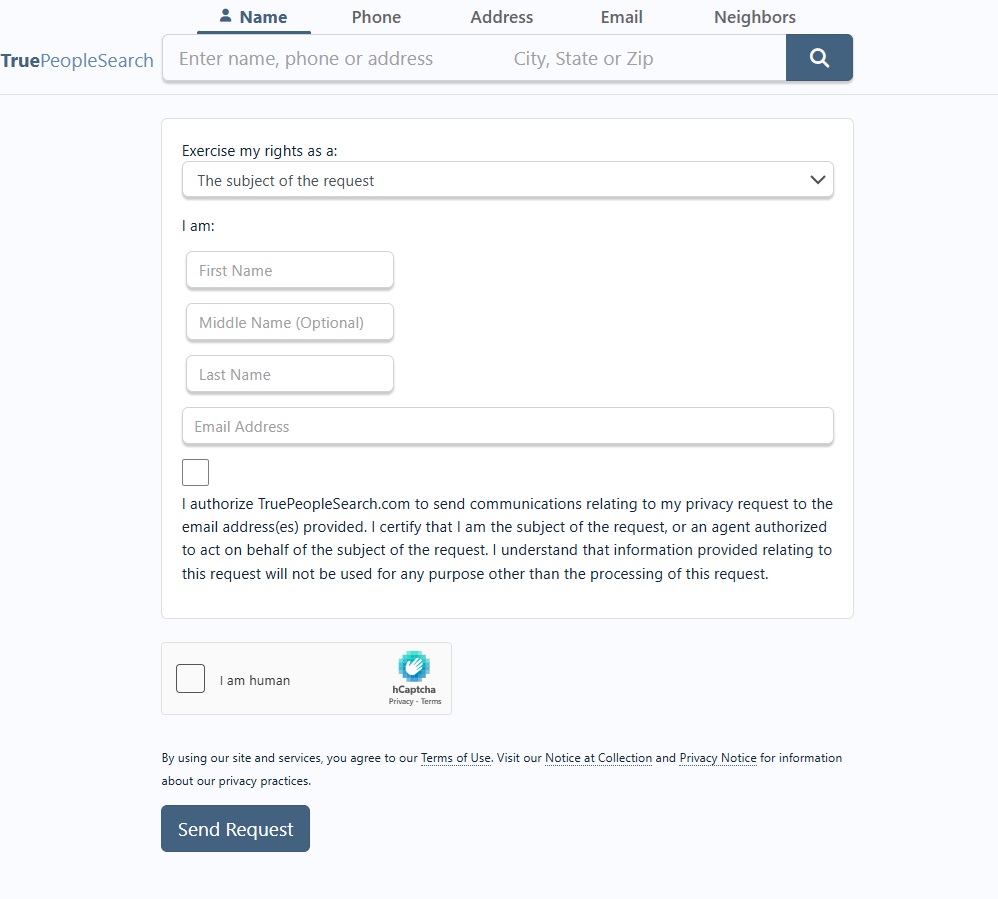
You will be redirected to another page with a TruePeopleSearch removal form.
From the “Exercise my rights as a:” dropdown, select “The subject of the request.”
Enter your first and last name and your email address.
Click the agreement box.
Click the “I am human” checkbox.
Click the “Send Request” button.
4. Click the email confirmation link
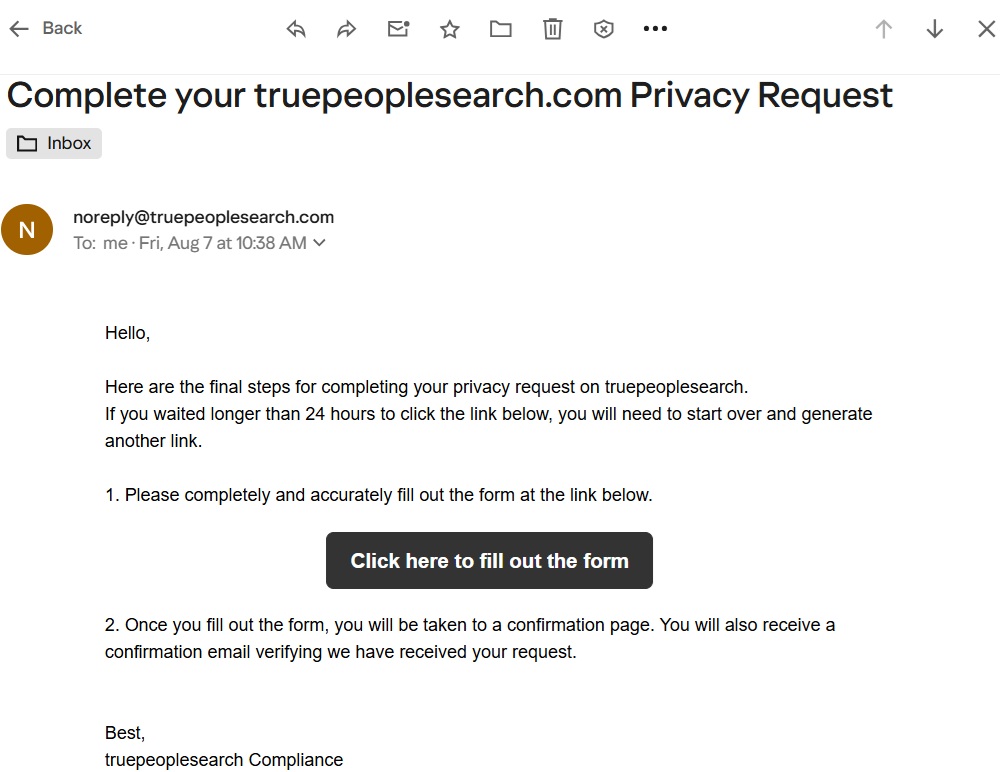
On the next screen, you’ll be notified about an email sent to the email address you entered earlier.

Go to your email inbox and find the email from TruePeopleSearch.
Note: If you don’t see the email from TruePeopleSearch, check your spam folder.
Select the button marked “Click here to fill out the form.”
Note: The link expires within 24 hours.
5. Fill out a second form
When you click the link in the email, you’ll be sent to a second form. Your name and email will already be filled in.
Fill in your phone number and EITHER your date of birth or your home address. Do not fill in both, as you don’t want to give people search sites any more information than absolutely necessary to complete your opt out request.

6. Submit your request
Click the box over “Please review the information above.” Click the box next to “I am human.” Lastly, click the “Submit Request” button.
You should receive confirmation that your TruePeopleSearch removal request was accepted. Your record should be removed from the TruePeopleSearch site within as little as 72 hours or up to 45 days.

What Happens After You Complete a TruePeopleSearch Removal?
After you submit your TruePeopleSearch removal request, your personal information will be removed from everywhere on the site, i.e., it will no longer show up when someone searches for you on TruePeopleSearch.
However, people search site opt outs are rarely permanent.
Some people search sites relist individuals’ profiles when they find more of their information. For this reason, it is important to recheck people search sites like TruePeopleSearch to ensure your data has not reappeared. If it has, you’ll need to submit another opt-out request.
As an alternative to manual opt-outs, you can subscribe to a data broker removal service such as DeleteMe.
You can also take a look at a few of our other DIY removal guides below.
- How to remove yourself from Spokeo
- How to remove yourself from Whitepages
- How to remove yourself from PeopleFinder
- How to remove yourself from Radaris
- How to remove yourself from People Background Check
- How to remove yourself from TruthFinder
- How to remove yourself from MyLife
- How to remove yourself from Intelius
- How to remove yourself from Fast People Search
- How to remove yourself from Arrests.org
- How to remove yourself from CheckPeople.com
- How to remove yourself from Instant Checkmate
TruePeopleSearch Removal FAQs
Here are some common questions people have about opting out of TruePeopleSearch.
Is TruePeopleSearch legit?
Yes, TruePeopleSearch is a legit people search site. It lets you find personal information about individuals, like their addresses, phone numbers, etc.
How can you delete your info from TruePeopleSearch?
To delete your information from TruePeopleSearch, you must find your record and request its removal (which requires clicking an email confirmation link). For step-by-step instructions, follow our TruePeopleSearch removal guide.
Is TruePeopleSearch legal?
Yes, TruePeopleSearch is legal. This is mainly because the information it collects and publishes on its site is already publicly available elsewhere.
How does TruePeopleSearch get your info?
Like any other people search site, TruePeopleSearch gets your information by scraping publicly available sources, including public records, social media, etc.
According to TruePeopleSearch, its database consists of “literally thousands of public records sources.”
Does TruePeopleSearch notify the person?
No, TruePeopleSearch does not notify you if someone looks up your information on TruePeopleSearch.
If you don’t want to be easy to find through TruePeopleSearch, opt out of TruePeopleSearch.
How accurate is TruePeopleSearch?
Depends. People search sites like TruePeopleSearch compile and aggregate data. They don’t actually verify that it is correct or up-to-date. Unless you’re the person to whom the data published on TruePeopleSearch belongs, there’s no way to know if the data is accurate.
How does TruePeopleSearch work?
TruePeopleSearch works by collecting people’s personal data from various sources online and then aggregating this data into comprehensive profiles that pretty much anyone can access for free.
All you need to do is search for someone’s name, phone number, address, or email address to get their personal details. If this sounds like an invasion of privacy to you, you can remove yourself from TruePeopleSearch.
How can you contact TruePeopleSearch?
You can contact TruePeopleSearch by filling out the contact form on their website at the following link: https://www.truepeoplesearch.com/contact?version=index. TruePeopleSearch says that using the contact form is the fastest way to get in touch with them.
If you want to remove your information from TruePeopleSearch, go to the TruePeopleSearch removal page.
You can also email TruePeopleSearch at [email protected], call (415) 869-6899, or write to PO Box 7775 PMB 29296 San Francisco, CA 94120-7775.
How can you remove an address from TruePeopleSearch?
To remove your address from TruePeopleSearch, search for your profile and then request its removal (which necessitates clicking an email confirmation link).
Is TruePeopleSearch a scam?
No, TruePeopleSearch is not a scam. It really does show you people’s personal information for free. However, the accuracy of this information can vary. Some data points may be accurate, whereas others might be out-of-date or completely incorrect.
Is TruePeopleSearch free?
Yes, TruePeopleSearch is free. Anyone can use it to find other people’s personal details like their full names, addresses, phone numbers, email addresses, possible relatives and associates, education and employment history, and more.
For additional information, like court and arrest records (i.e., a full background report), TruePeopleSearch links to other people search sites where you must pay for extra information.
Is TruePeopleSearch safe?
Depends on what you mean by “safe.”
The TruePeopleSearch site is safe in the sense that you probably won’t get malware by visiting it.
TruePeopleSearch puts all your personal information in one easily searchable profile, which increases your risk of threats like stalking, harassment, doxxing, identity theft, social engineering, and more.
To improve your privacy, you should opt out of TruePeopleSearch.
Why am I on TruePeopleSearch?
Your information is available on TruePeopleSearch because it is available elsewhere online. TruePeopleSearch collects and aggregates information from a variety of sources, including public records and social media. As long as your information is available through these sources, people search sites like TruePeopleSearch will be able to find it and list it on their sites.
Can I see who searched my name on TruePeopleSearch?
No, it is not possible to see who searched your name on TruePeopleSearch.


news?

Don’t have the time?
DeleteMe is our premium privacy service that removes you from more than 750 data brokers like Whitepages, Spokeo, BeenVerified, plus many more.
Save 10% on DeleteMe when you use the code BLOG10.
Related Posts

Whitepages Opt-Out Guide

Featured Data Broker — ZabaSearch: Opt-Out and Learn More
