How to Opt Out of LinkedIn AI Training


Table of Contents
If you want to opt out of LinkedIn AI training, you can follow the four steps I took below. Total time was around 10 minutes, but this included reading as much information as possible about how LinkedIn uses data for AI training. You can probably opt out of LinkedIn AI training faster by following our LinkedIn AI training opt-out guide below.
LinkedIn uses your posts, articles, comments, and profile information to train its generative AI models and improve its AI-powered features.
Use our step-by-step guide below to opt out of LinkedIn AI training.
After you turn off the AI training setting, LinkedIn states it will no longer use your data for training generative AI models going forward. However, LinkedIn cannot remove data that was already used before you opted out.
What Is LinkedIn AI Training?
LinkedIn AI training refers to LinkedIn using your professional content and activity to train and improve its generative AI models and features.
Specifically, LinkedIn says it may use your profile data, GAI data (such as prompts and questions), job-related data (such as your resume), group data (e.g., group messages), member content (articles, poll responses, etc.), and feedback.
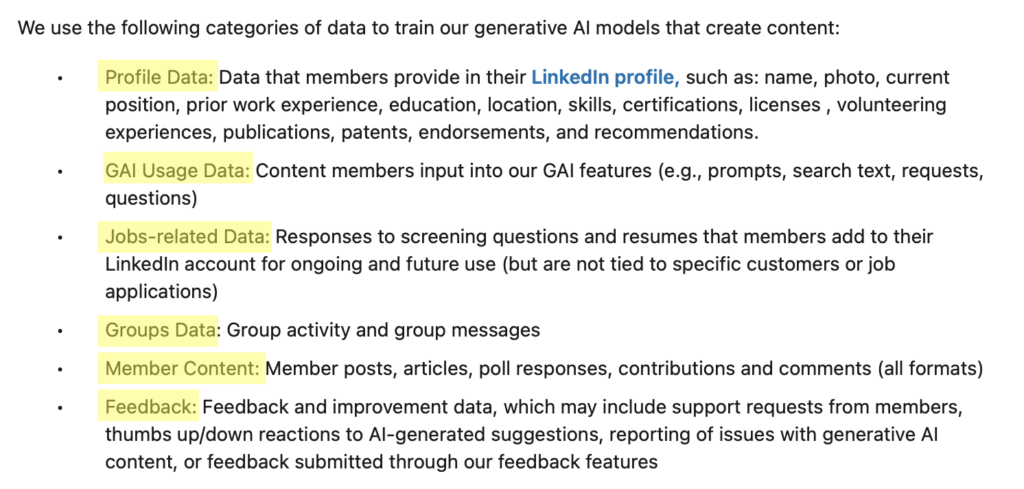
LinkedIn states that it does not use the content of your private messages for AI training. Nor does it use your login credentials, payment information, or “member-provided salary data or job application data attributable to a specific member.”
How to Opt Out of LinkedIn AI Training
You can opt out of LinkedIn AI training through your account settings.
Opt out of LinkedIn AI training in four steps.
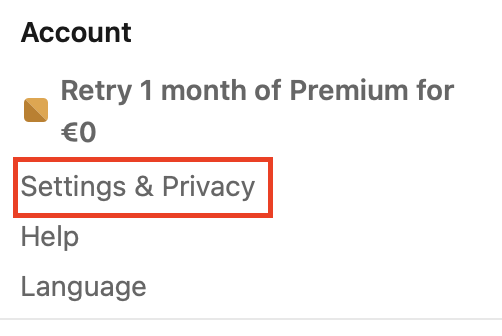
1. Open LinkedIn and click “Settings & Privacy”
Go to https://www.linkedin.com/ and sign in to your account.
Click your profile photo in the top right corner.

Then, click “Settings & Privacy” from the dropdown menu.
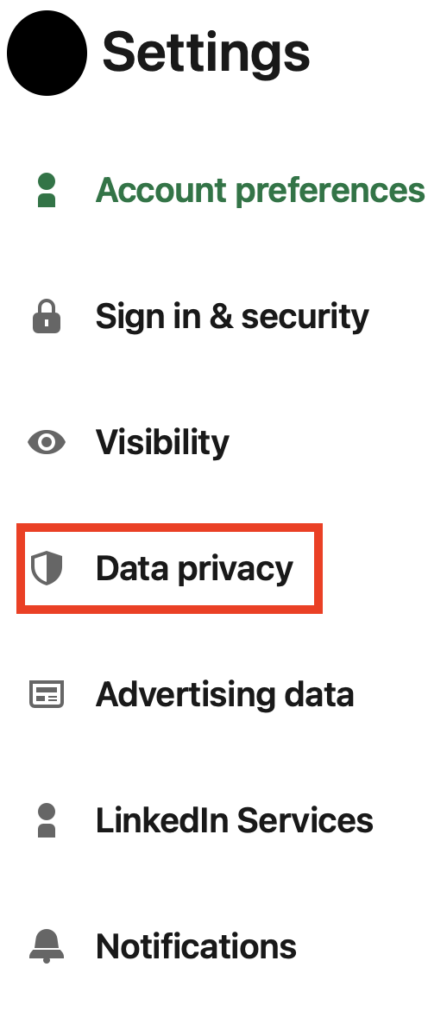
2. Select “Data Privacy”
From the menu on the left, select “Data Privacy.”
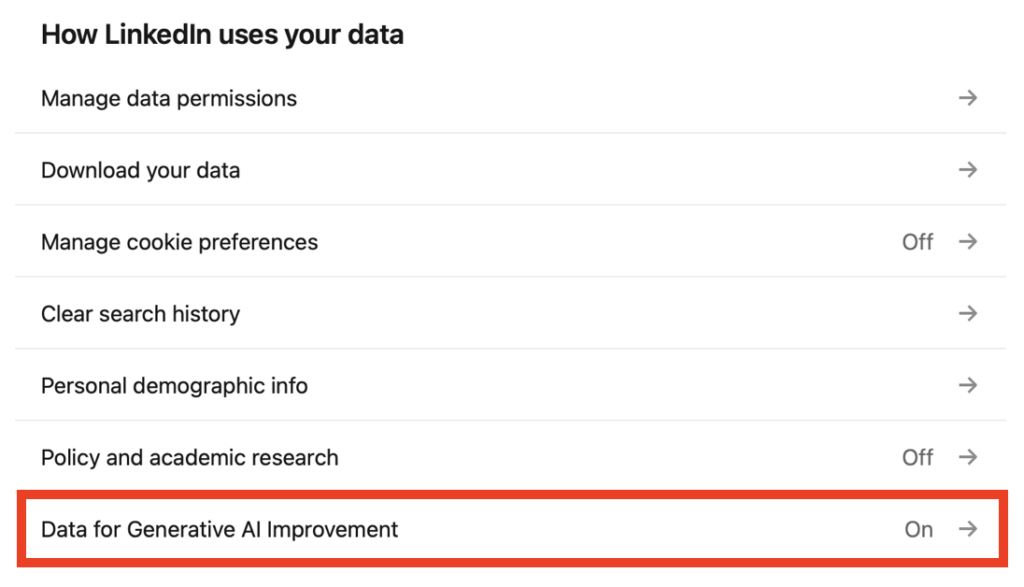
3. Click “Data for Generative AI Improvement”
Click “Data for Generative AI Improvement” under ‘How LinkedIn uses your data.’
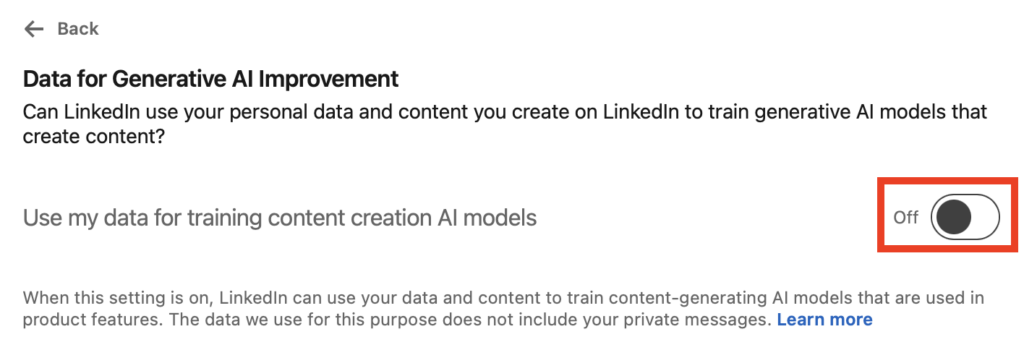
4. Toggle the generative AI setting off
You will see a toggle that controls whether LinkedIn can use your data to train its generative AI models or not.
Switch the toggle to “Off.”
That’s it!
What Happens After You Opt Out of LinkedIn AI Training
After you toggle off the AI training setting, LinkedIn states it will stop using your personal data to train its generative AI models going forward.
However, note that LinkedIn cannot remove data that may have already been shared with its AI models before you opted out. That data will remain part of those models.
What was LinkedIn’s 2024 AI training controversy?
In 2024, LinkedIn faced criticism after users discovered that the platform had quietly turned on AI training by default without clearly getting users’ consent.
LinkedIn’s response was that users could opt out at any time and that the data was used only to improve LinkedIn’s own features.
However, the incident highlighted how platforms often turn on AI training by default and rely on users to discover and turn off these settings themselves.
How to Contact LinkedIn
You can contact LinkedIn at https://www.linkedin.com/help/linkedin/solve.
Don’t Forget Data Brokers and People Search Sites
Once you’re done opting out of AI training, don’t forget to opt out of people search sites and data brokers.
People search sites are companies that collect your personal details from sources like public records and social media (including LinkedIn), collate this data into profiles, and then sell these profiles to more or less anyone who wants access to them.
If someone knows your name/phone number/address/email address/username, they may be able to find additional information about you, such as who you’re related to, where you went to school and college, your employment history, and links to your social media accounts.
- Opting out of LinkedIn keeps your personal data from being used to train its AI models.
- Opting out of data brokers and people search sites protects your data from being sold and exposed to anyone on the web.
Find out more about people search sites and data brokers in our detailed data broker guide.
Then, see our step-by-step data broker and people search site opt-out guides to begin opting out of sites such as Spokeo, BeenVerified, Intelius, TruthFinder, Radaris, PeopleFinders, Fast People Search, Instant Checkmate, and others.
After you opt out of people search sites, make a note in your calendar to revisit them in the near future. People search sites are known to republish people’s data when they find more of it online, even if you opted out before.
If you’d rather spend your time doing other things but still want to keep your data off of people search sites, that’s where data broker removal companies like DeleteMe come in. Our privacy experts opt you out of people search sites on your behalf (and make sure you stay opted out).

news?

Don’t have the time?
DeleteMe is our premium privacy service that removes you from more than 750 data brokers like Whitepages, Spokeo, BeenVerified, plus many more.
Save 10% on DeleteMe when you use the code BLOG10.
Related Posts



Julius AI Data Privacy Settings Guide