How to Opt Out of Meta AI Training


Table of Contents
Opting out of Meta AI training is pretty straightforward. There are five steps you need to take in the Facebook app. Our experience is that it should take under 10 minutes to opt out.
Meta uses public posts, photos, comments, and interactions from Facebook, Instagram, and Threads to train its generative AI models. Meta has confirmed that content publicly posted by adult users since 2007 has been used for AI training purposes.
Use our step-by-step guide below to opt out of Meta AI training. By the way, if you already opted out of Instagram AI training, you’ve also already completed your Meta AI training opt-out.
After you submit your objection to the use of your information for Meta AI training, Meta will review it and respond. Note that users in the EU and UK have formal opt-out rights under GDPR, while US users can submit requests, but Meta does not guarantee approval.
What Is Meta AI Training?
Meta AI training refers to Meta using your public content from Facebook, Instagram, and Threads to train its generative AI models, including Meta AI.
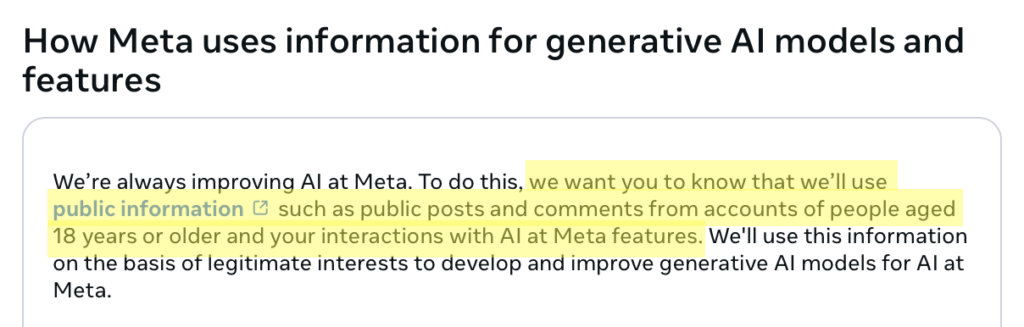
Meta states that it does not use your private messages with family or friends unless someone in the chat shares those messages with Meta’s AI features.
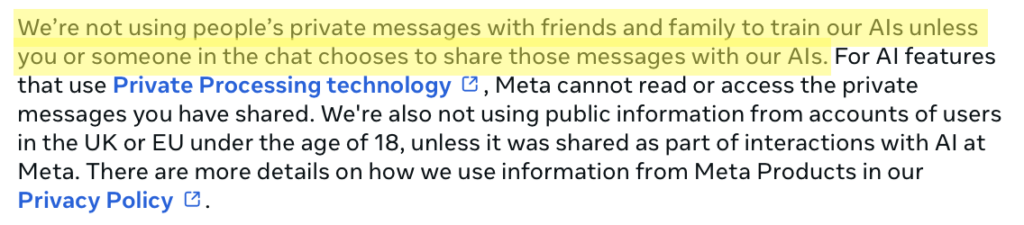
It is also worth noting that Meta may use content where you appear or are mentioned, even if you did not post it yourself. For example, if a friend posts a public photo of you or tags you in a public post, that content could be used for AI training.
How to Opt Out of Meta AI Training
You can opt out of Meta AI training through either Facebook or Instagram. The process is the same regardless of which platform you start from, and submitting one objection covers both platforms.
Opt out of Meta AI training in six steps.
1. Open the Facebook app and go to Privacy Center
Go to Facebook.
Click your profile icon.

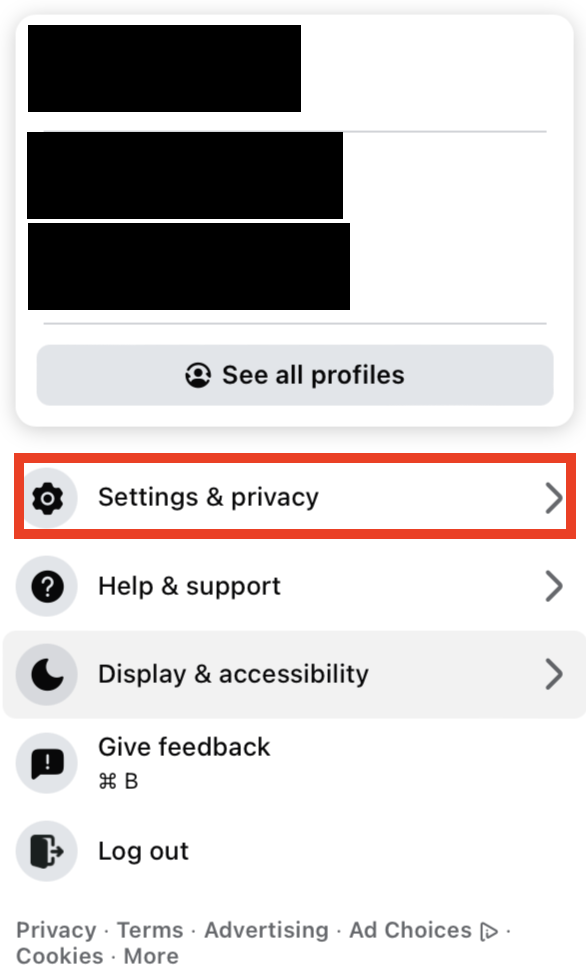
Then click “Settings & privacy.”
Then, click “Privacy Center.”
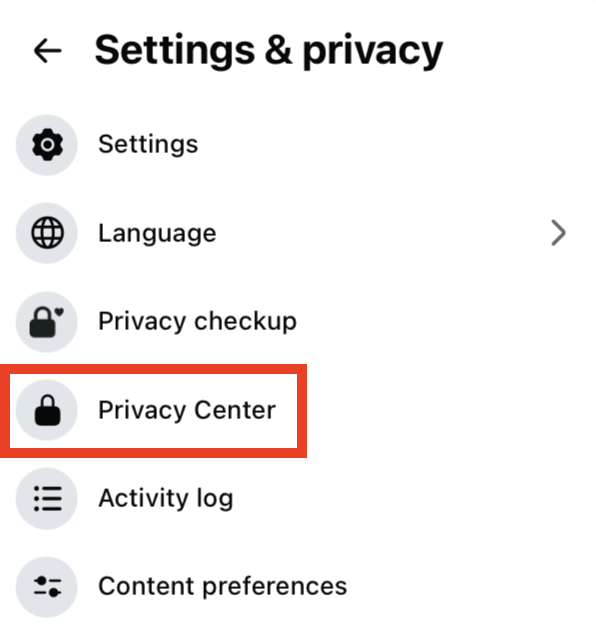
Alternatively, go directly to the Meta Privacy Center at https://www.facebook.com/privacy/center/.
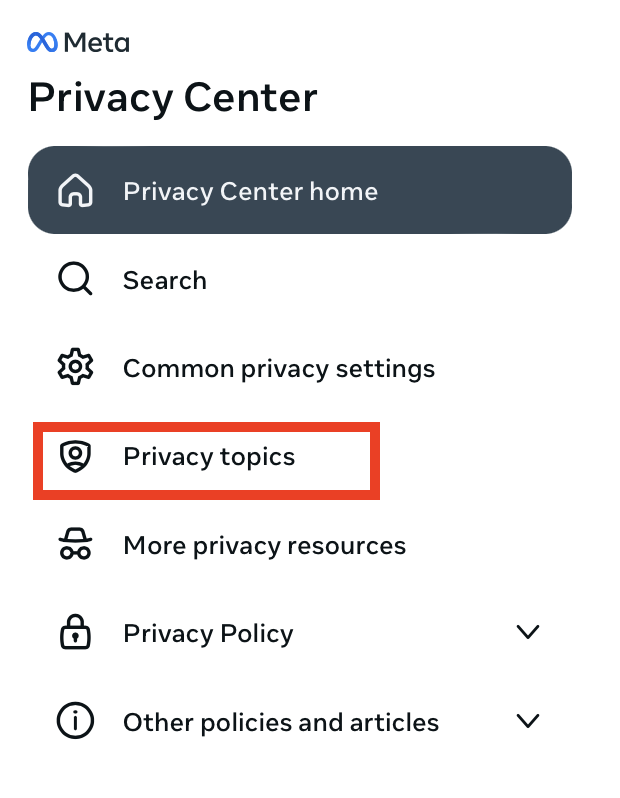
2. Click “Privacy topics”
In the Privacy Center, select “Privacy Topics” from the left side menu.
3. Click “Get started” under ‘AI at Meta’
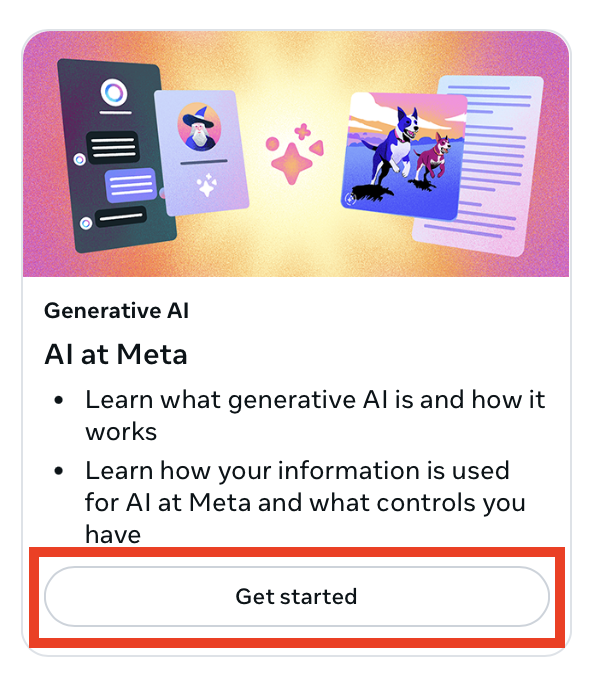
Scroll until you see ‘Generative AI’ or ‘AI at Meta.’
Click the “Get started” button underneath it.
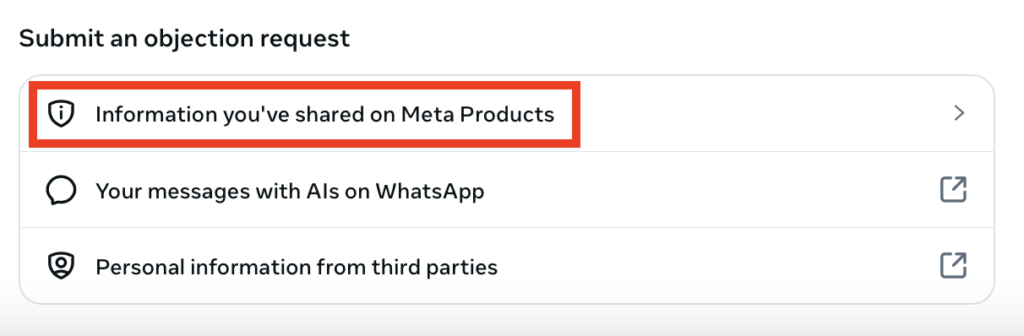
4. Select “Information you’ve shared on Meta Products”
Scroll to ‘Submit an objection request.’
Select the “Information that you’ve shared on Meta products” link.
5. Fill out and submit the form
You will be redirected to a page explaining your right to object to Meta using your public information to train its AI.
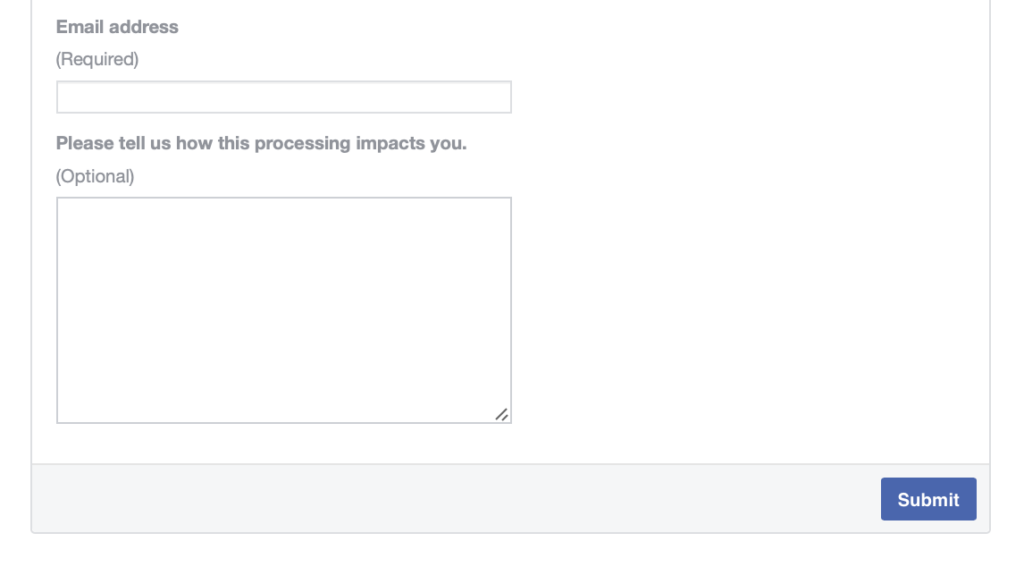
Scroll until you see the objection form, then fill it out.
- Enter your email address.
- Provide information about how Meta’s AI processing affects you (this field is optional but may strengthen your request).
Click the “Submit” button.
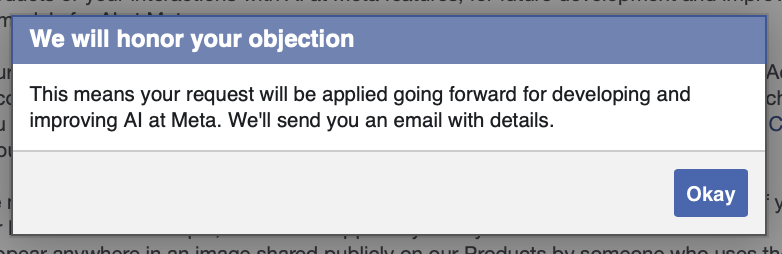
You will see a pop-up message confirming that your objection was submitted. You will also receive an email confirmation from Meta.
What Happens After You Opt Out of Meta AI Training
After you submit your objection to Meta using your information to train its AI and it is successful, Meta will send you an email confirming that it will no longer use your public information from Facebook and Instagram in the future development and improvement of its generative AI models.
However, Meta states that in some cases, it may still process your information to develop and improve its AI, even if you object.
This can happen if:
- Your information appears in content posted publicly by another user (for example, a photo someone else took of you).
- Your information was already used to train AI models before you submitted your objection.
- Meta determines that its legitimate interests outweigh your objection (applicable mainly to users outside the EU/UK).
If you are in the EU or UK, Meta is legally required to honor valid objections under GDPR. If you are in the US, Meta reviews requests on a case-by-case basis and does not guarantee approval.
How to Contact Meta
You can contact Meta about privacy concerns through the Privacy Center at https://www.facebook.com/privacy/center/.
For data protection inquiries, you can also reach Meta’s Data Protection Officer through the Privacy Rights Request channel in your account settings.
Don’t Forget Data Brokers and People Search Sites
Opting out of AI training matters, but it’s just one step toward better privacy.
Another step is to opt out of data brokers and people search sites. These are companies that collect your personal details from a wide variety of public sources (e.g., public records and social media, among others), collate them into comprehensive profiles, and then sell these profiles to pretty much anyone who wants them.
It is thanks to these people search sites that someone who knows your name/address/phone number/email/in some cases even just a username, can find other information about you, including where you live, your education and employment history, and who you’re related to.
Most of the time, people search sites also scrape your data from social media profiles. So even if you opt out of Meta’s AI training, your personal data from your profile could already be for sale on a people search site.
- Opting out of Meta AI training keeps your public Facebook data from being used to train its AI models.
- Opting out of data brokers and people search sites protects your details from being sold and exposed to strangers.
Learn more about data brokers in our detailed data broker guide.
Then, take a look at our step-by-step data broker and people search site opt-out guides to begin removing yourself from people search sites such as Radaris, BeenVerified, Intelius, Spokeo, PeopleFinders, Fast People Search, TruthFinder, Instant Checkmate, and others.
Once you opt out, remember to check these sites periodically. Data brokers are known to republish people’s personal data when they find more of it online. For maximum privacy, opt-outs need to be continuous.
Don’t have the time for manual opt-outs? That’s where a data broker removal company like DeleteMe comes in. Our privacy experts can find you and remove your information from dozens of people search sites – and do so continuously, so you don’t have to worry about your details resurfacing.

news?

Don’t have the time?
DeleteMe is our premium privacy service that removes you from more than 750 data brokers like Whitepages, Spokeo, BeenVerified, plus many more.
Save 10% on DeleteMe when you use the code BLOG10.
Related Posts


Julius AI Data Privacy Settings Guide