Crunchbase Opt-Out Guide [2026 Update]


Updated by Sarah Huard
Table of Contents
Crunchbase is a data broker that collects and posts information on businesses and professionals online.
Use our step-by-step Crunchbase opt-out guide below to remove yourself.
Note: Data brokers regularly change their opt out processes. If this process is inaccurate, please contact us directly so we can update it. As of May 2026, following this guide should let you opt from Crunchbase successfully.
Why Should You Remove Yourself from Crunchbase?
Crunchbase is a legitimate website that also happens to be a resource for cybercriminals. Bad actors can research companies and their employees and executives to launch complex spearphishing attacks and other threats.
The company also provides contact information to its clients, theoretically so they can reach out to prospects for sales purposes. Exposed contact information can easily become a source for phishing and scams.
Opt out from data brokers like Crunchbase to keep yourself and your organization safer.
DeleteMe’s Crunchbase.com Opt-Out Review
To remove a listing from Crunchbase, you will need to fill out an opt-out form. After that, your opt-out request will be processed.
| Speed: 5 | Difficulty: 1 |
|---|---|
 |
 |
Crunchbase Profile Removal Walkthrough
Opt out from Crunchbase in four steps.
1. Go to https://preferences.crunchbase.com/
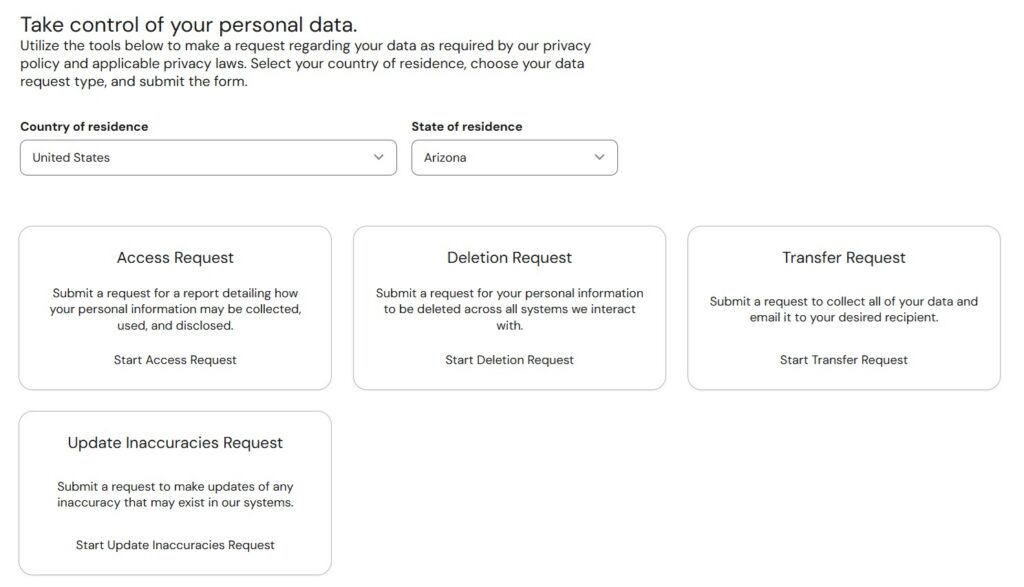
Click the following URL: https://preferences.crunchbase.com/ to access the Crunchbase opt-out form.
Note that if you are not a resident of the 20 states currently covered by a comprehensive consumer privacy law, you may not be able to opt out, at least at the first attempt. Crunchbase may add something to the URL formatted like this: ?locationCode=US-[state]. Simply cut out that part from the URL and reload the page to continue your attempted opt out.
Choose your country of residence and state of residence from the dropdown menus and click “Deletion Request.”
2. Fill out the form
Where the form says “I’m making this request on behalf of,” choose “Myself.”
Enter your first name, last name, and email address where you can be contacted (we recommend using a temporary email address).
Choose your relationship with Crunchbase from the dropdown menu. Typically, you can just pick “Other.” Under “additional comments,” you can enter your reason for making the request, like your personal safety, etc. It’s possible that Crunchbase will remove some profiles if the comments are convincing. For example, victims of cyberstalking may be able to opt out even if they are from a state that doesn’t require Crunchbase to comply with opt out requests.
Finally, click “Review Request.”
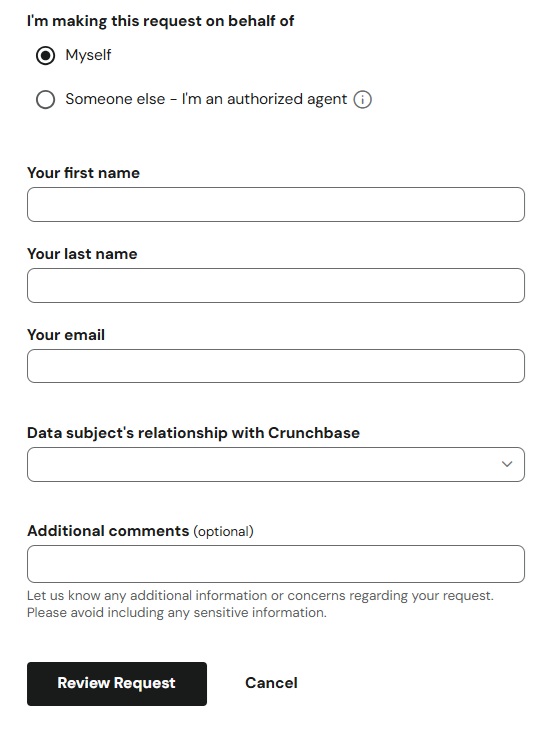
Confirm your information and complete the Captcha. Click “Submit Request” again.
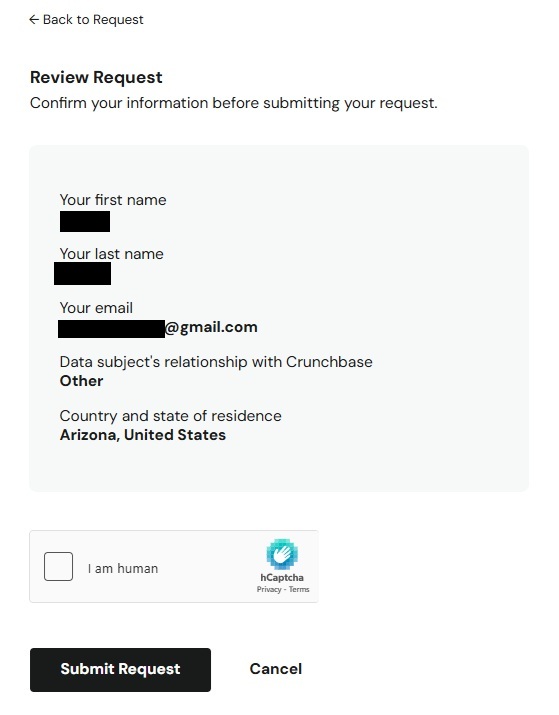
3. Click the email confirmation link
You will receive an email with a confirmation link.
Go to your email inbox and click on this link.
Note: The link is valid for 7 days.
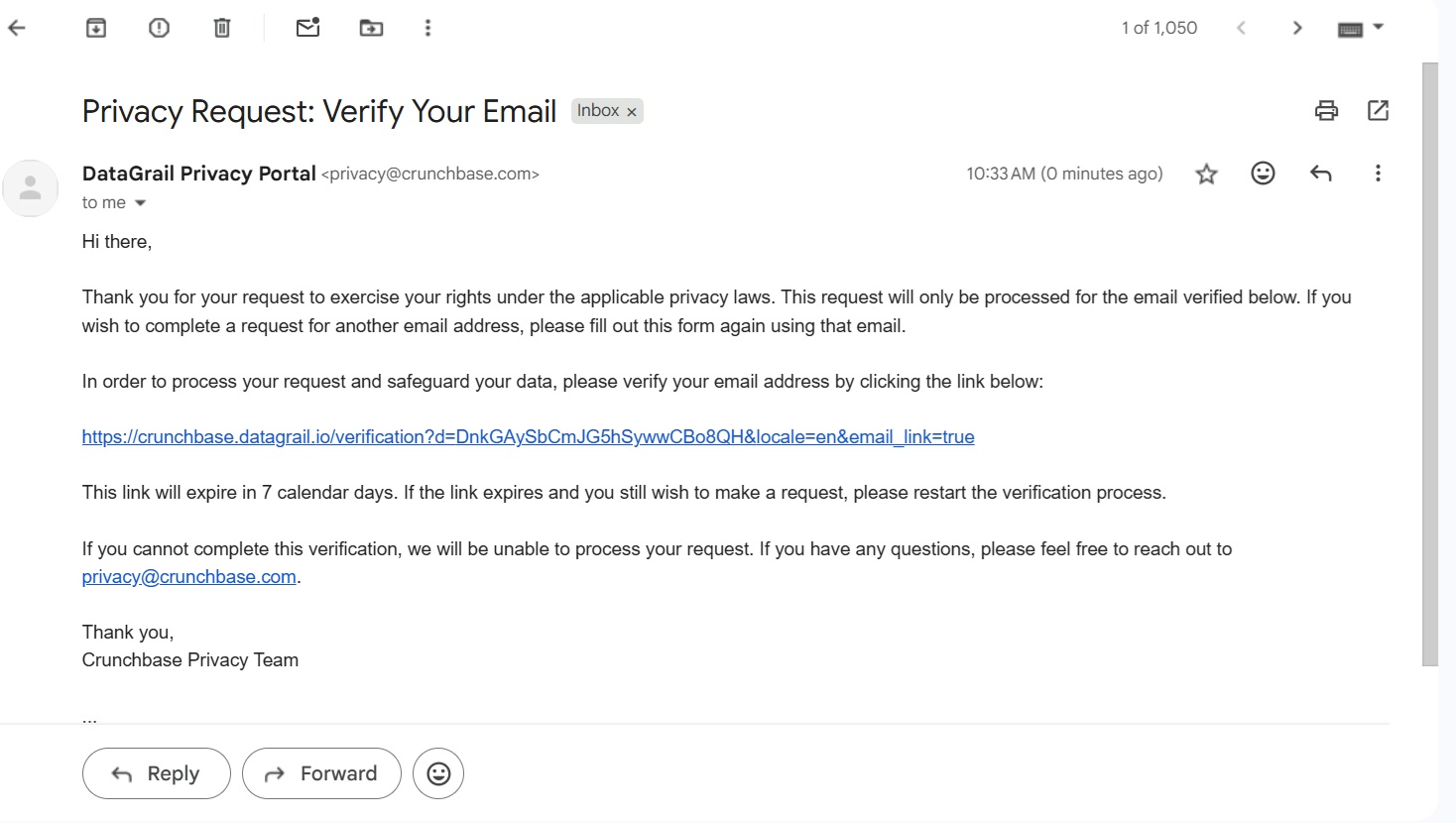
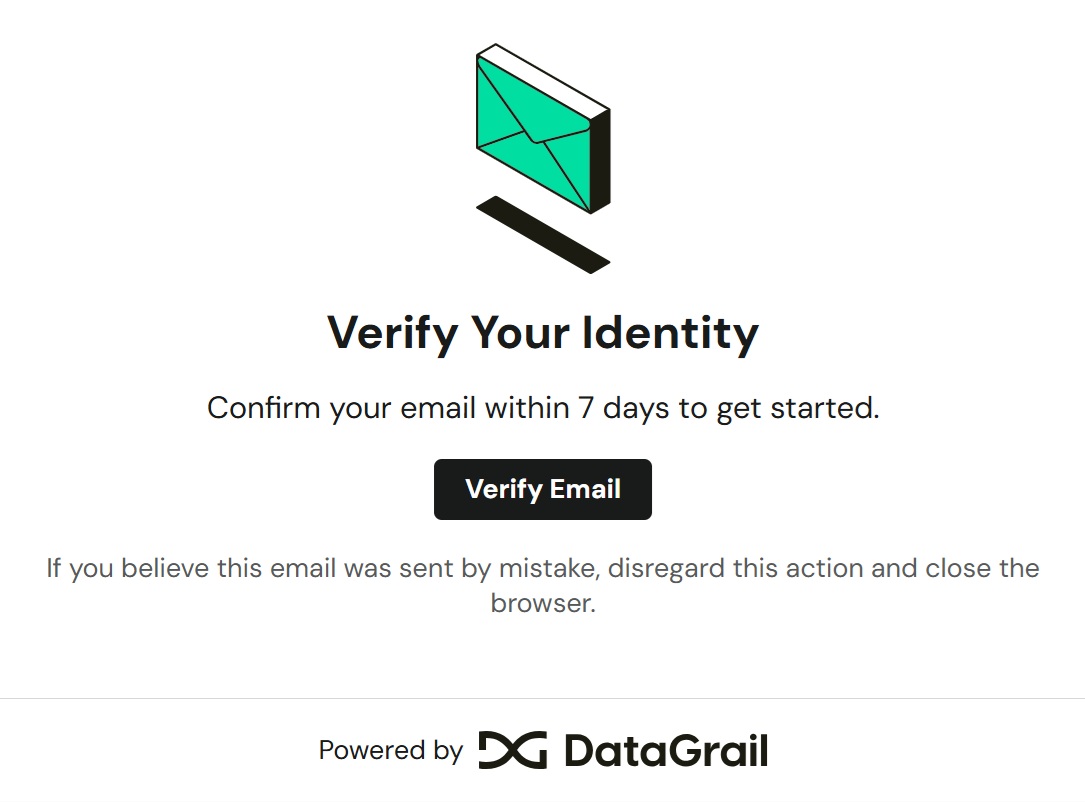
4. Click “Verify Email”
Click the “Verify Email” button.
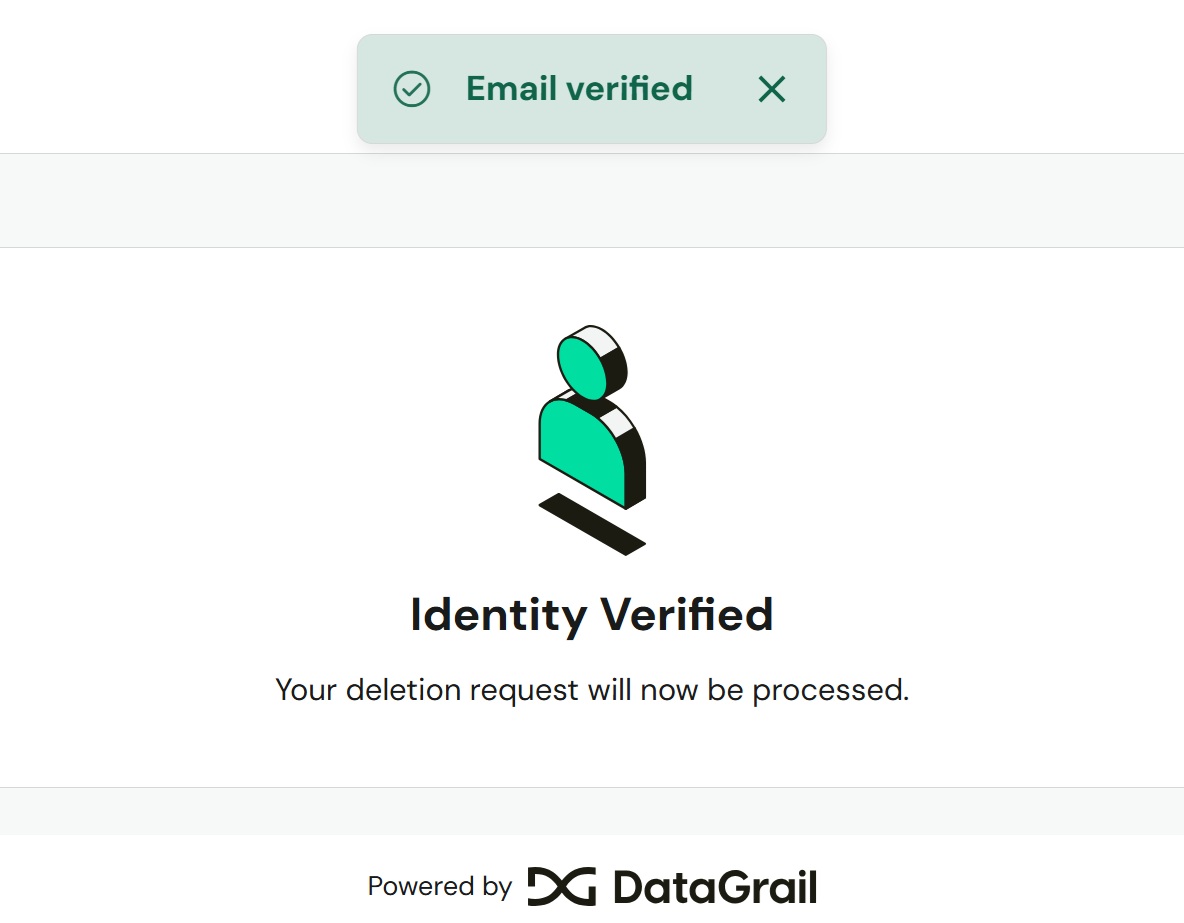
You have successfully verified your email. Crunchbase will now process your opt-out request.
Who Else Is Selling Your Info?
You’ve completed your Crunchbase opt-out, but Crunchbase isn’t the only data broker selling your personal data on the internet. Learn more about data brokers and people search sites in our data broker guide.
Go to our data broker opt-out guides to see what other data brokers and people search sites you should remove your information from. Our guides include:
- How to remove yourself from Whitepages.
- How to remove yourself from BeenVerified.
- How to remove yourself from Spokeo.
- How to remove yourself from Whitepages.
- How to remove yourself from PeopleFinder.
- How to remove yourself from Radaris.
- How to remove yourself from People Background Check.
- How to remove yourself from TruthFinder.
- How to remove yourself from MyLife.
- How to remove yourself from Intelius.
- How to remove yourself from Fast People Search
- How to remove yourself from Arrests.org.
- How to remove yourself from CheckPeople.com
- How to remove yourself from Instant Checkmate.
Alternatively, subscribe to DeleteMe to have privacy experts remove your personal details from these and other data brokers continuously.

news?

Don’t have the time?
DeleteMe is our premium privacy service that removes you from more than 750 data brokers like Whitepages, Spokeo, BeenVerified, plus many more.
Save 10% on DeleteMe when you use the code BLOG10.