Figma AI Training Opt Out Guide


Table of Contents
Ready to opt out? Follow our Figma opt out of AI training guide below.
Figma uses content created in your team and organization files, including designs, text, images, comments, and annotations, to train its AI features.
Content training is turned on by default for Starter and Professional teams. So if you’re an individual designer or a small team using Figma, you are automatically enrolled in AI training until an admin turns the setting off.
Use our step-by-step guide below to opt out of Figma AI training.
What Is Figma AI Training?
Figma AI training refers to Figma using customers’ content from files inside Figma teams and organizations to train and improve its AI features.
According to Figma’s AI Terms, when content training is toggled on:
“Figma may use Customer Content to maintain, improve, and enhance Figma’s products and services by training machine learning and artificial intelligence algorithms and models.”

Data used for Figma AI training includes designs, text, and images created in Figma, as well as comments and annotations, and usage data such as how often features are used.
Figma also says it de-identifies content and redacts sensitive information from text and images before using it for training, and that it trains its models to learn general design patterns rather than specific user concepts or ideas.

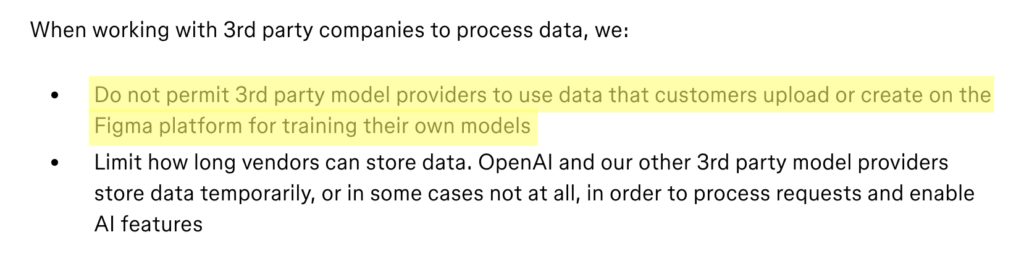
Additionally, it notes that it does not permit third-party model providers (such as OpenAI) to use data that customers upload or create on the Figma platform to train their own models.
A Quick Note On Figma Plans and Their Relevance to Its AI Training
Whether content training is on by default depends on which plan you are on:
- Starter teams: Content training is on by default.
- Professional teams: Content training is on by default.
- Organization plans: Content training is off by default.
- Enterprise plans: Content training is off by default.
The content training setting is managed by team or organization admins, not by individual collaborators.
How to Opt Out of Figma AI Training
Opt out of Figma AI training in five easy steps.
Note: You can only do the below if you’re an admin on your Figma team plan.
1. Sign in to your Figma account
Go to https://www.figma.com/ and sign in to your Figma account.
2. Select your team
From the left side menu, click the downward arrow next to your team’s name.
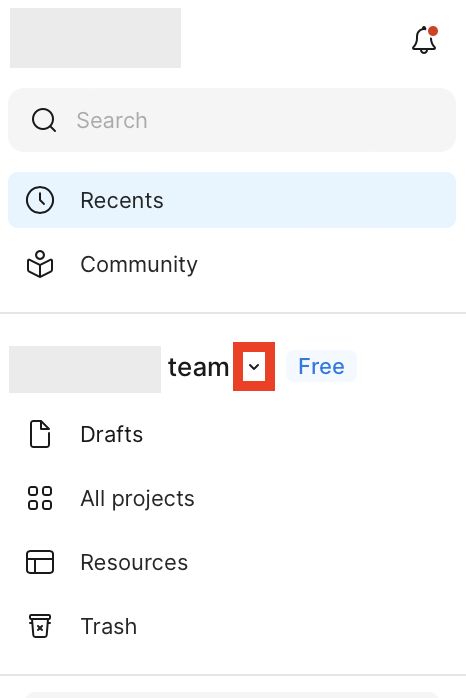
Click your team’s name.
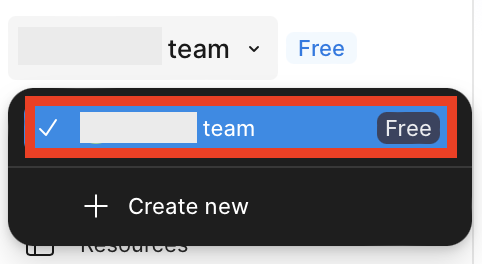
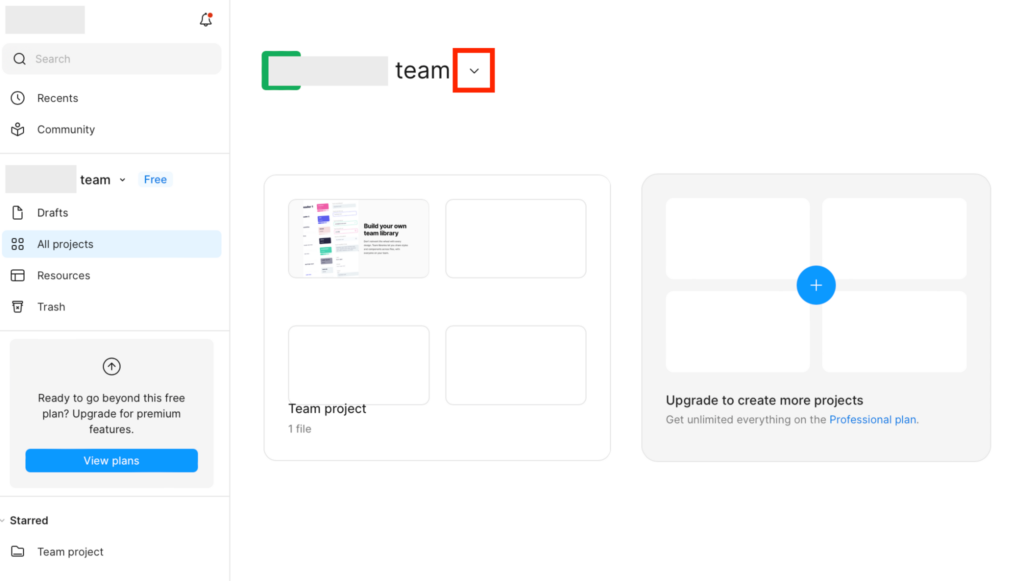
3. Click the downward arrow and then “View settings”
Click the downward arrow next to your team’s name.
From the dropdown menu that appears, click “View settings.”
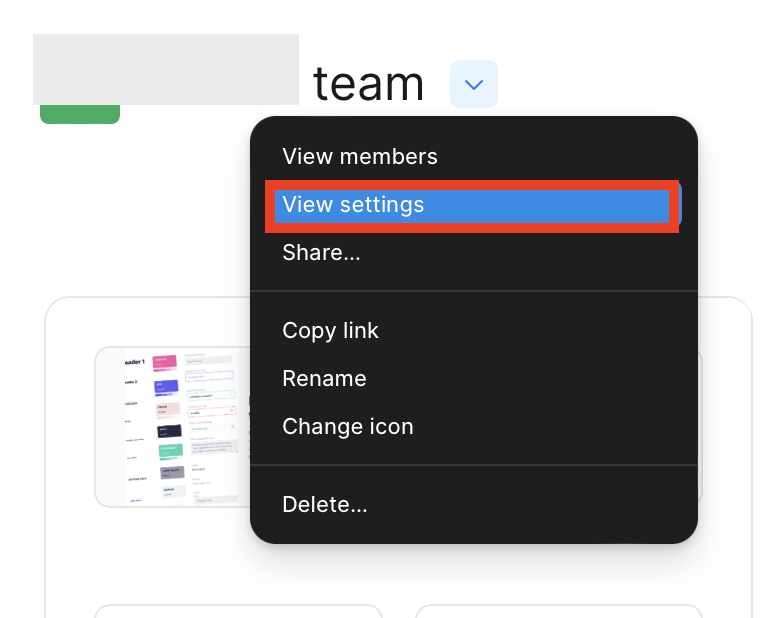
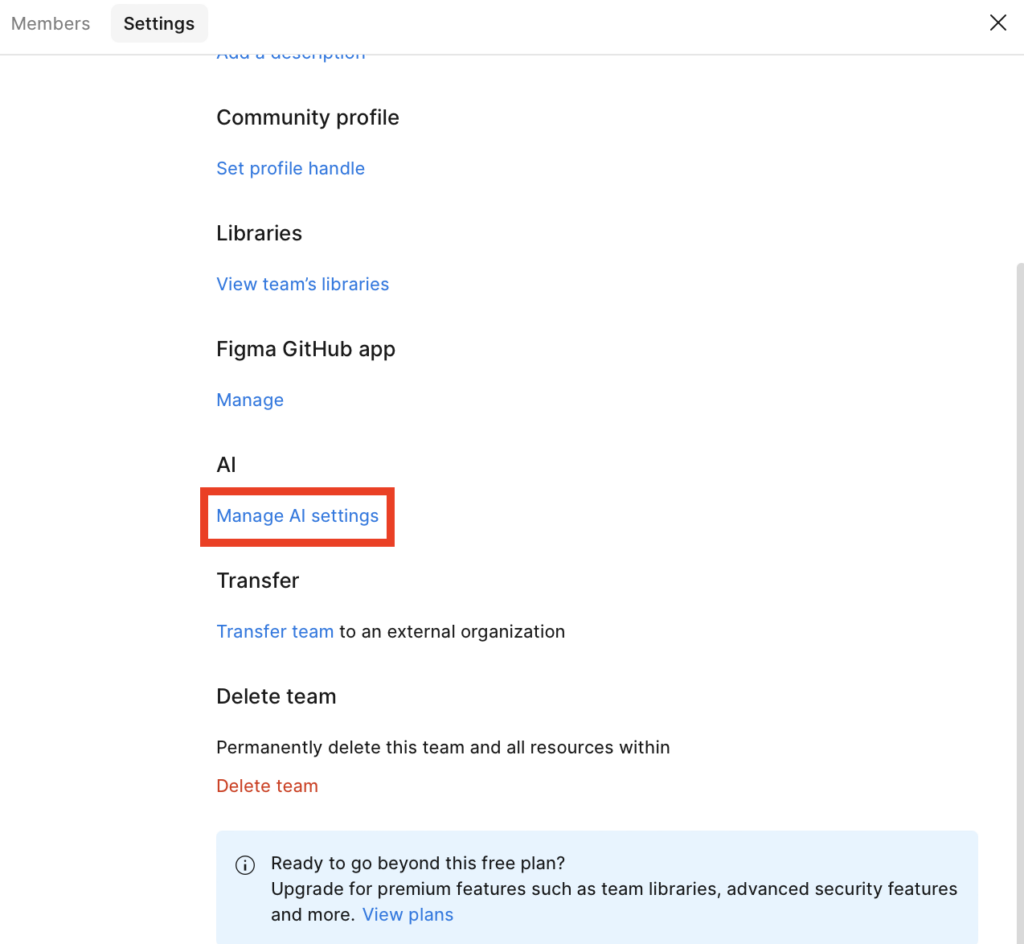
4. Click “Manage AI settings”
Scroll until you see ‘AI.’
Click the “Manage AI settings” link.
5. Toggle the setting to “off”
Next to “Content training,” toggle the setting to “off” if it is toggled on.
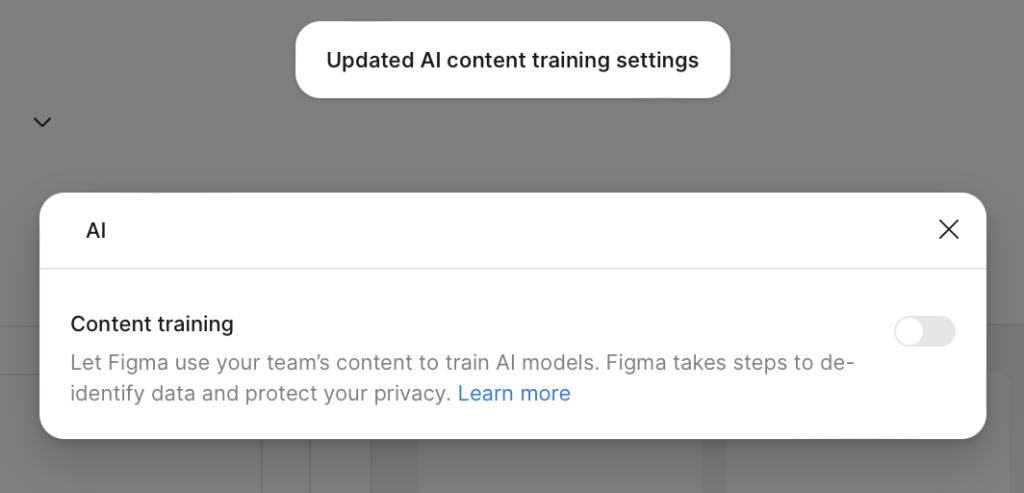
A pop-up message will appear telling you that you’ve updated your AI content training settings.
What Happens After You Opt Out of Figma AI Training
After you toggle off the Figma AI training feature, any new content and edits in your team’s files will not be used to train Figma’s AI models going forward.
The change is not retroactive, i.e., you cannot take back the content and edits you shared with Figma’s AI training feature before you toggled off this setting.
Your access to Figma’s AI features is unchanged, because content training and AI features are separate toggles.
How to Contact Figma
As per Figma’s privacy policy, you can contact Figma about privacy and data protection inquiries at [email protected].
Users in regions with formal data protection rights (such as the EU under GDPR) can submit a Data Subject Rights request through the same channel.
Don’t Forget Data Brokers and People Search Sites
Opting out of AI training is just one aspect of your privacy. Data brokers and people search sites are companies that collect your personal details from various sources and then compile them into comprehensive profiles for anyone to see, either for a small fee or for free.
Sites like Spokeo, Intelius, and Whitepages (among many others) allow anyone to find out more data about you, including where you live, what your phone number is, and who you’re related to.
- Opting out of Figma stops your content from being used to improve Figma’s products and services.
- Opting out of data brokers and people search sites prevents your personal information from being sold to (more or less) anyone who wants it.
Luckily, you can opt out of most people search sites. If you’re not sure where to start, we have an opt-out guide for pretty much every people search site and data broker out there. See our people search site opt-out guides here.
You’ll need to repeat your opt-outs periodically, though. That’s because people search sites and data brokers republish people’s profiles when they find more of their information, so opt-outs need to be continuous for maximum results.
Don’t have the time? A data broker removal service like DeleteMe can help. Our privacy experts continuously monitor data brokers and people search sites for the reappearance of your data to provide the best possible privacy protection.

news?

Don’t have the time?
DeleteMe is our premium privacy service that removes you from more than 750 data brokers like Whitepages, Spokeo, BeenVerified, plus many more.
Save 10% on DeleteMe when you use the code BLOG10.
Related Posts


Julius AI Data Privacy Settings Guide