How to Opt Out of YouTube AI Training


To opt out of YouTube AI training, you don’t need to do anything unless you toggled on the third-party training setting at some point. That’s because YouTube AI training is opt-in rather than opt-out.
I wasn’t sure what this really meant for my AI privacy, so below I outline how to double-check whether you’ve opted into YouTube AI training at some point (and how to opt out of it).
What Is YouTube AI Training?
YouTube AI training refers to third-party organizations using creators’ videos to train their AI models.
YouTube AI training is opt-in, so unless you’ve toggled the setting to allow third-party companies to use your videos for AI model training, you’re automatically opted out.

When you opt into YouTube AI training, you can select which third-party companies (such as Amazon, Anthropic, Apple, Perplexity, Nvidia, etc.) you want to allow to use your content for AI training. Alternatively, you can select “All third-party companies,” which means that you consent to any third-party company using your content for AI training, even if it’s not on the list.
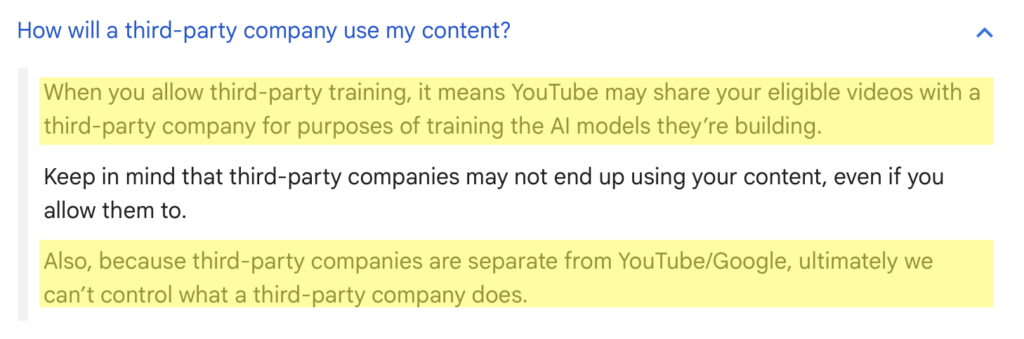
YouTube/Google notes that they cannot control what a third-party company does with your content if you allow them to use it for AI training.
How to Opt Out of YouTube AI Training
You can check if you’ve opted into YouTube AI training and opt out of it through your channel settings in YouTube Studio.
Opt out of YouTube AI training in six steps.
1. Sign in to your YouTube account
Go to https://www.youtube.com/ and sign in to your account by clicking the sign-in button in the top right.

2. Click your profile icon and “YouTube Studio”
Click your YouTube profile icon in the top right.

A dropdown menu will appear. Select “YouTube Studio.”
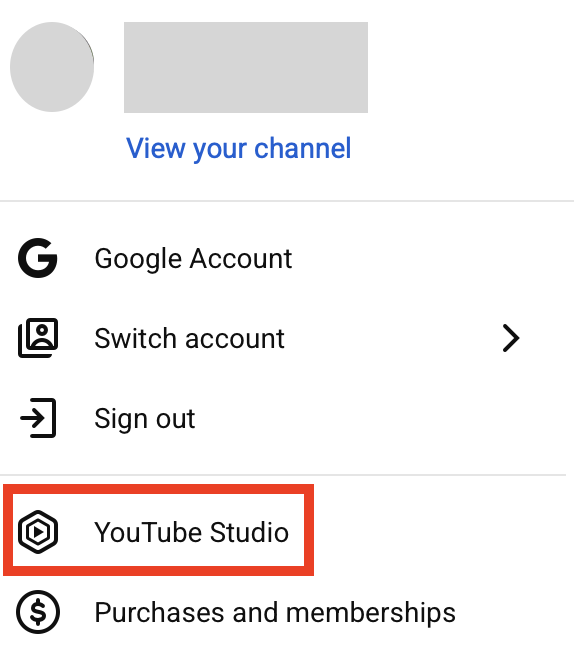
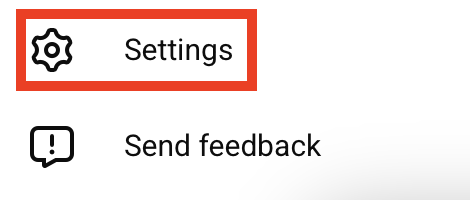
3. Click “Settings”
Click “Settings” in the bottom left.
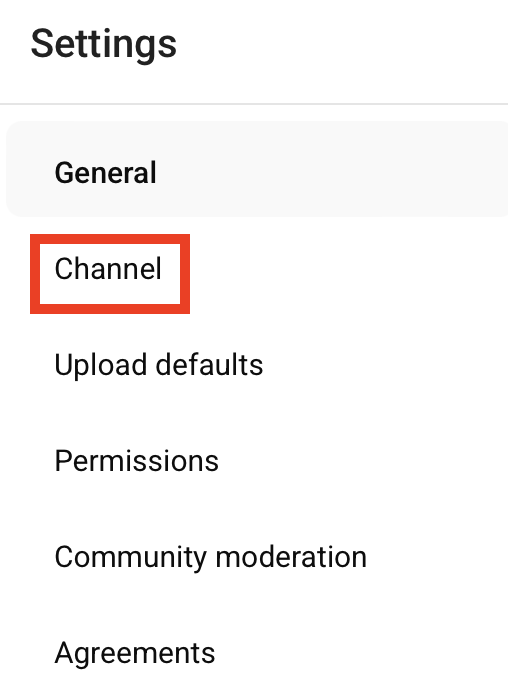
4. Click “Channel”
From the menu on the left, click “Channel.”
5. Click “Advanced settings”
Click “Advanced settings.”

6. Toggle off the third-party training setting and click “Save”
Scroll down until you see ‘Third-party training.’
See if the checkbox beside “Allow third-party companies to train AI models using my channel content” is toggled on.
If it is toggled on, toggle it off.
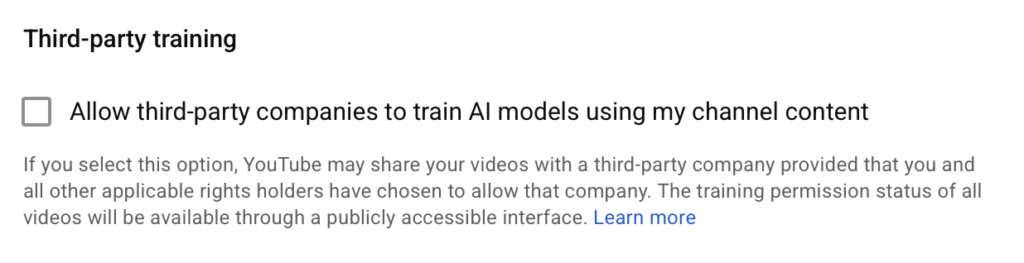
Then, click “Save.”

You will see a pop-up at the bottom that says “Settings saved.”

What Happens After You Opt Out of YouTube AI Training
After you toggle off the third-party AI training setting, third-party companies will no longer be able to use your videos to train their AI models.
As is the case with most AI training, YouTube cannot remove data that you may have already shared with third parties.
How to Contact YouTube and Google
You can contact YouTube about privacy concerns through the YouTube Help Center at https://support.google.com/youtube/.
Don’t Forget Data Brokers and People Search Sites
After you opt out of AI training, you may also want to opt out of people search sites and data brokers.
These are companies that collect your personal details from various sources, like public records, and then collate them into a comprehensive profile that pretty much anyone can buy for a few dollars. In some cases, these profiles are even available for free.
As long as someone knows one piece of information about you (your name/phone number/address/email address/username), they can find out more about you, including where you live, your education and employment history, and who you’re related to.
- Opting out of YouTube AI training keeps your videos from being used to train third-party AI models.
- Opting out of data brokers and people search sites reduces your personal information exposure online.
Find out more about the data broker industry in our detailed data broker guide.
Then, take a look at our step-by-step data broker and people search site opt-out guides to start removing yourself from sites such as BeenVerified, Spokeo, Intelius, Radaris, TruthFinder, PeopleFinders, Instant Checkmate, Fast People Search, and others.
Opting out once isn’t usually enough – as soon as data brokers and people search sites find more data about you, they will republish your profile, and you will need to repeat the opt-out process.
Don’t have the time for manual opt-outs? A data broker removal service like DeleteMe can help. Our privacy experts search for and remove your personal information from people search sites continuously to help you stay more private.

news?

Don’t have the time?
DeleteMe is our premium privacy service that removes you from more than 750 data brokers like Whitepages, Spokeo, BeenVerified, plus many more.
Save 10% on DeleteMe when you use the code BLOG10.
Related Posts


Julius AI Data Privacy Settings Guide