How to Opt Out of Perplexity AI Data Usage for Training


Table of Contents
As a pretty heavy user of Perplexity, it was unsurprising to find out that my (and your) searches on its AI search engine are used to train its AI models. After a bit of research, I was able to opt out in around 5 minutes through Perplexity’s account settings.
Here I will show you exactly how to opt out of Perplexity AI training.
What Is Perplexity AI Training?
Perplexity AI training refers to Perplexity using your searches on the Perplexity AI search engine to train its AI models.
It’s worth noting that your data is only used to train Perplexity’s AI models. Perplexity specifically notes that its agreements with companies like OpenAI or Anthropic (whose models Perplexity uses) prohibit using Perplexity’s users’ data for training those models.
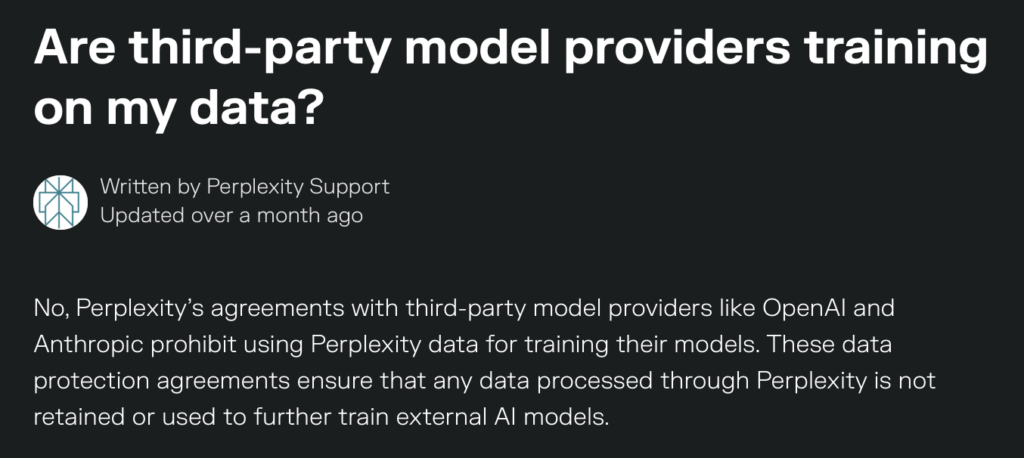
That said, you can opt out of Perplexity using your data for model training.
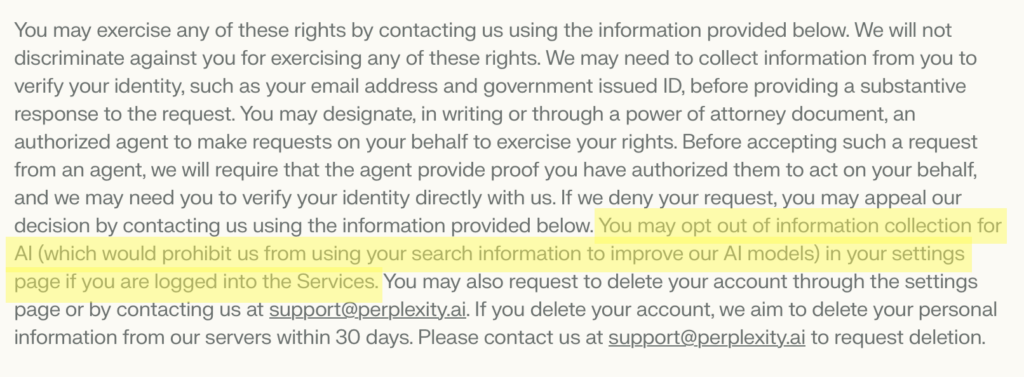
In its privacy policy, Perplexity says that you can opt out of this through your account settings if you are logged into the service. You cannot opt out of Perplexity AI training if you are not a logged-in user.
Perplexity AI training for government users
If you’re a government agency user of Perplexity, AI data training does not apply.
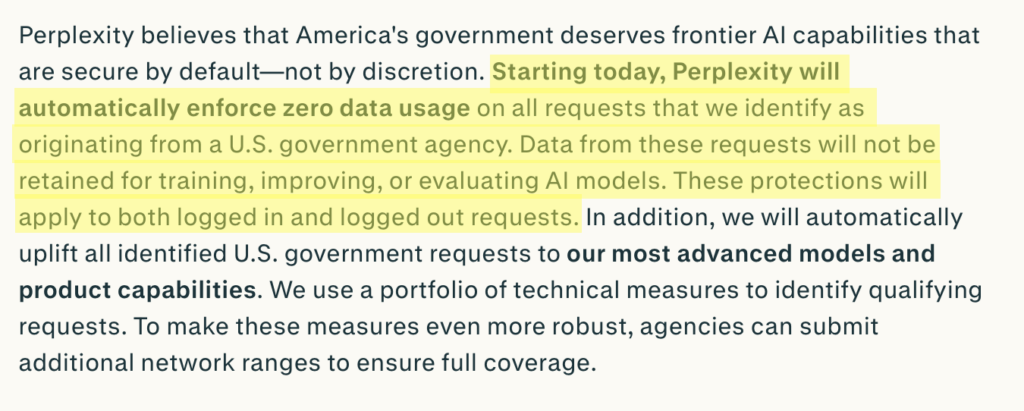
Perplexity says that it automatically enforces zero data usage on requests identified as originating from a U.S. government agency.
It says:
“Data from these [U.S. government agency] requests will not be retained for training, improving, or evaluating AI models. These protections will apply to both logged in and logged out requests.”
How to Opt Out of Perplexity AI Training
You can opt out of Perplexity AI training through your account settings.
Opt out of Perplexity AI training in four steps.
1. Sign in to your Perplexity account
Go to https://www.perplexity.ai/ and sign in to your account by clicking the “Sign In” link in the bottom left.

2. Click your account name
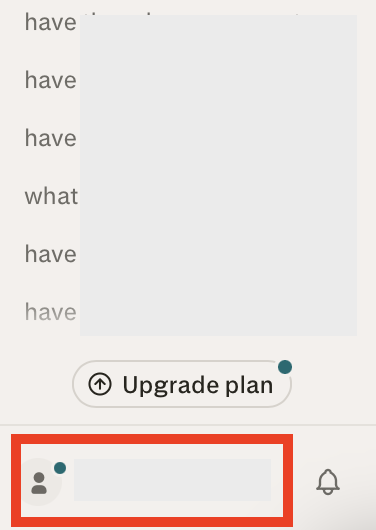
In the bottom left corner, click your account name.
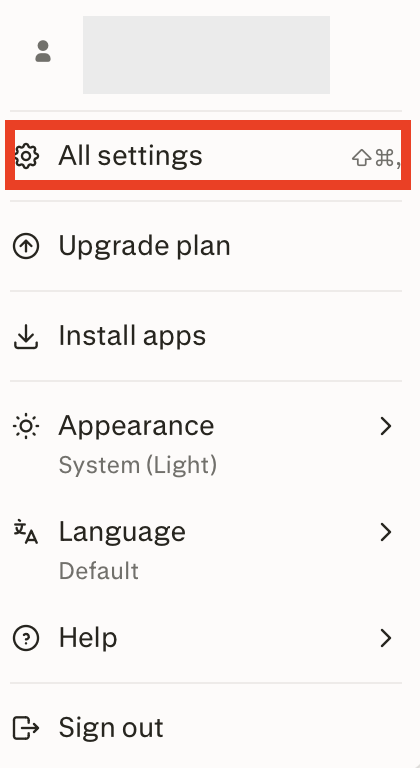
From the pop-up menu that appears, select “All settings.”
3. Click “Preferences”
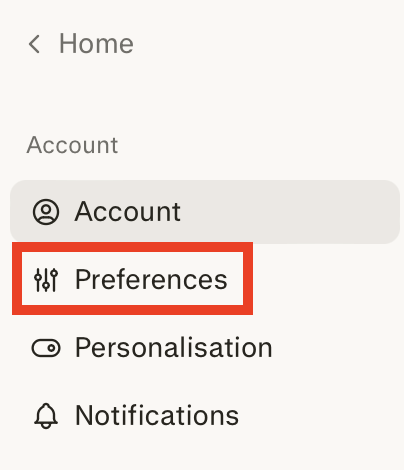
Select “Preferences” from the left side menu.
4. Toggle off the “AI data retention” setting
Scroll to the ‘Artificial Intelligence’ section.
Toggle off the “AI data retention” setting.
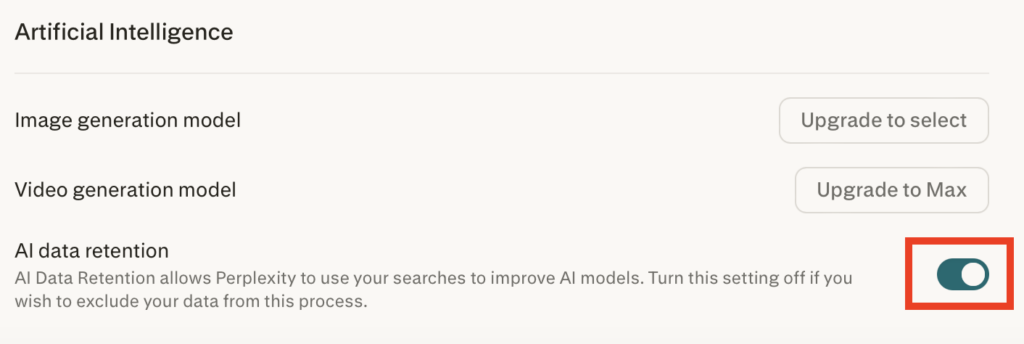
That’s it. You’ve opted out of Perplexity using your searches to improve its AI models.
What Happens After You Opt Out of Perplexity AI Training
After you toggle off the AI training setting, Perplexity states it will stop using your searches to train its AI models.
How to Contact Perplexity
You can contact Perplexity at [email protected].
Don’t Forget Data Brokers and People Search Sites
After you opt out of AI training, you should also take the time to remove yourself from data brokers and people search sites.
- Opting out of Perplexity keeps your searches from being used to train its AI models.
- Opting out of data brokers and people search sites reduces your personal data exposure.
These are companies that collect your personal information from a wide variety of sources, combine it into comprehensive profiles for each individual, and then sell them to anyone who wants this information.
As long as someone knows one piece of data about you (like your name or your phone number), they can find out additional details, like where you live, where you work, and who you’re related to.
Read more about people search sites and data brokers in our comprehensive data broker guide.
Then, check out our step-by-step data broker and people search site opt-out guides to begin removing yourself from sites such as Spokeo, Intelius, BeenVerified, TruthFinder, PeopleFinders, Radaris, Fast People Search, Instant Checkmate, and more.
Note that you’ll more than likely need to repeat opt-outs. That’s because most data brokers and people sites publish your profile when they find more information about you. For this reason, opt-outs need to happen periodically.
If you’d rather not opt out manually, that’s where data broker removal companies like DeleteMe come in. Our privacy experts remove you from these sites and make sure you stay off them.

news?

Don’t have the time?
DeleteMe is our premium privacy service that removes you from more than 750 data brokers like Whitepages, Spokeo, BeenVerified, plus many more.
Save 10% on DeleteMe when you use the code BLOG10.
Related Posts


Julius AI Data Privacy Settings Guide